KickSide/Use cases/Sales & presales

Know what to do before every call, and never chase a dead deal again

This is the setup Spiral Scout runs its own sales on. It sits on top of the CRM you already have, reads the same records your team does, and tells each person what to do next.

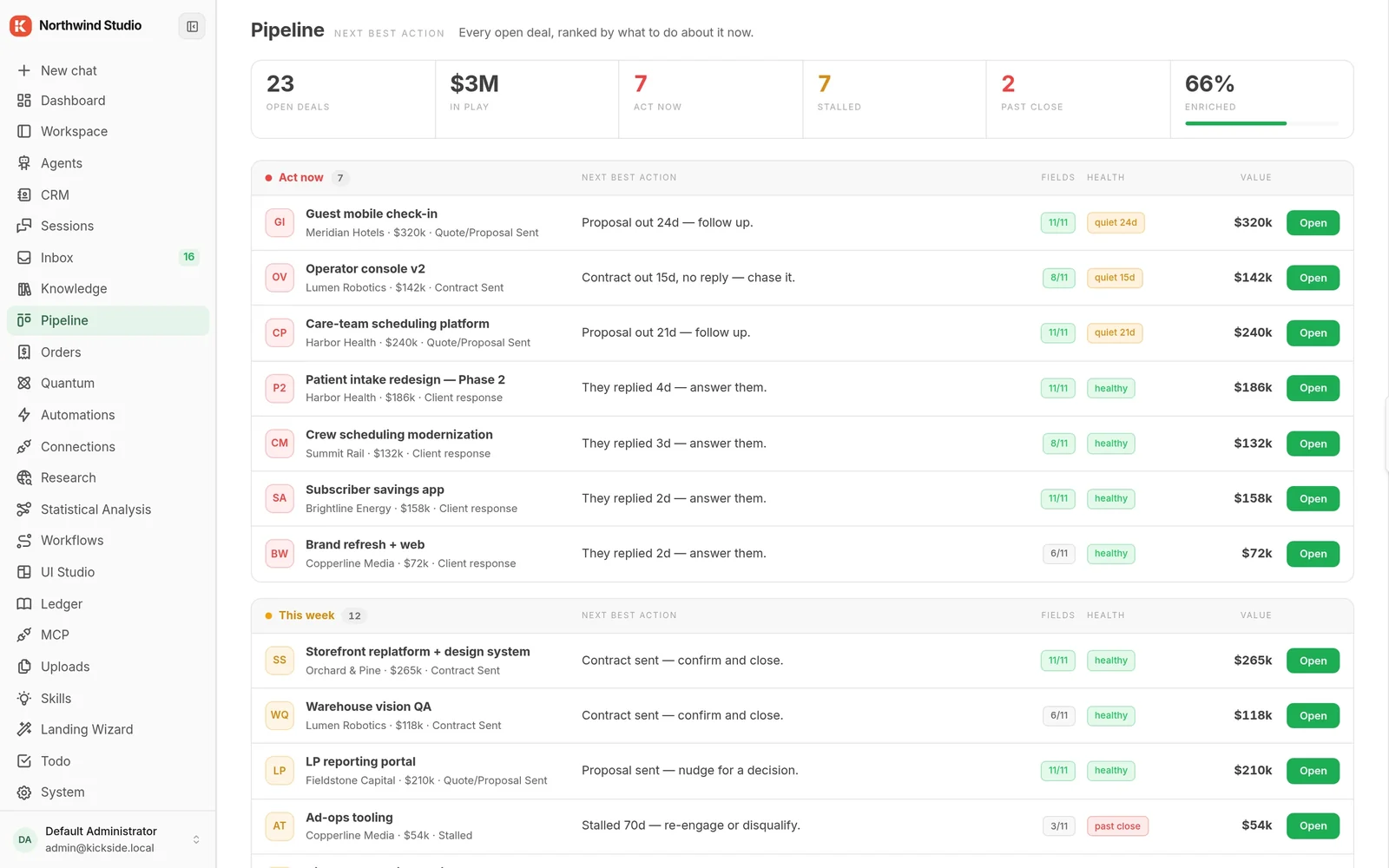
northwind.local/pipeline
Pipeline cockpit: every open deal ranked by its next best action, with $3M in play, act-now and this-week bands, enrichment coverage and health flags
What gets built

Four things, working on the same records

A CRM tells you what happened. This tells you what to do about it.

01

Deal-health monitor

Runs every morning before anyone is at their desk. Flags contacts who have gone quiet, deals sitting past their stage, and proposals nobody followed up on. It is the first thing most teams switch on because it needs nothing from you except a connection.

02

Pre-call brief

An hour before every meeting: who they are, what they said last time, what is still open, and three questions worth asking. Assembled from the records you already keep, not from a form someone had to fill in.

03

Lead research with a drafted reply

A new inbound arrives. It gets researched, scored against who you actually sell to rather than who fills in forms, and a reply is drafted and put in front of a person to approve or bin.

04

Outbound with a quality gate

Emails written in your voice and checked against your own rules before they reach the approval inbox. Anything generic gets stopped before a human ever sees it, which is the only way a queue like this stays worth reading.

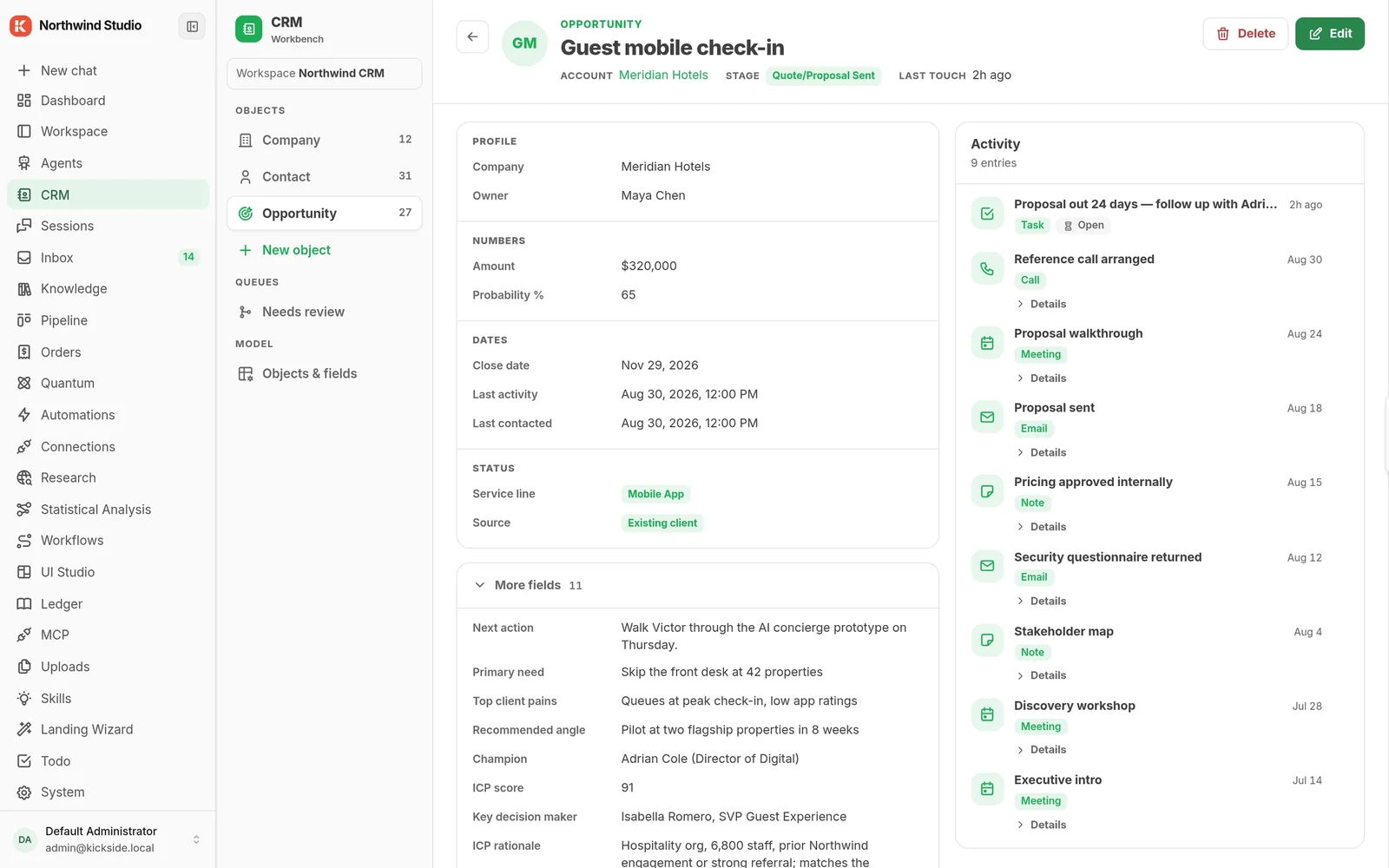
northwind.local/crm/deals
Deal record with profile, numbers, dates, AI deal-intelligence fields and an activity timeline of calls, meetings, emails and an open task
Deal record. Profile, numbers, dates, AI deal-intelligence fields and a nine-entry timeline of calls, meetings, emails and an open task.
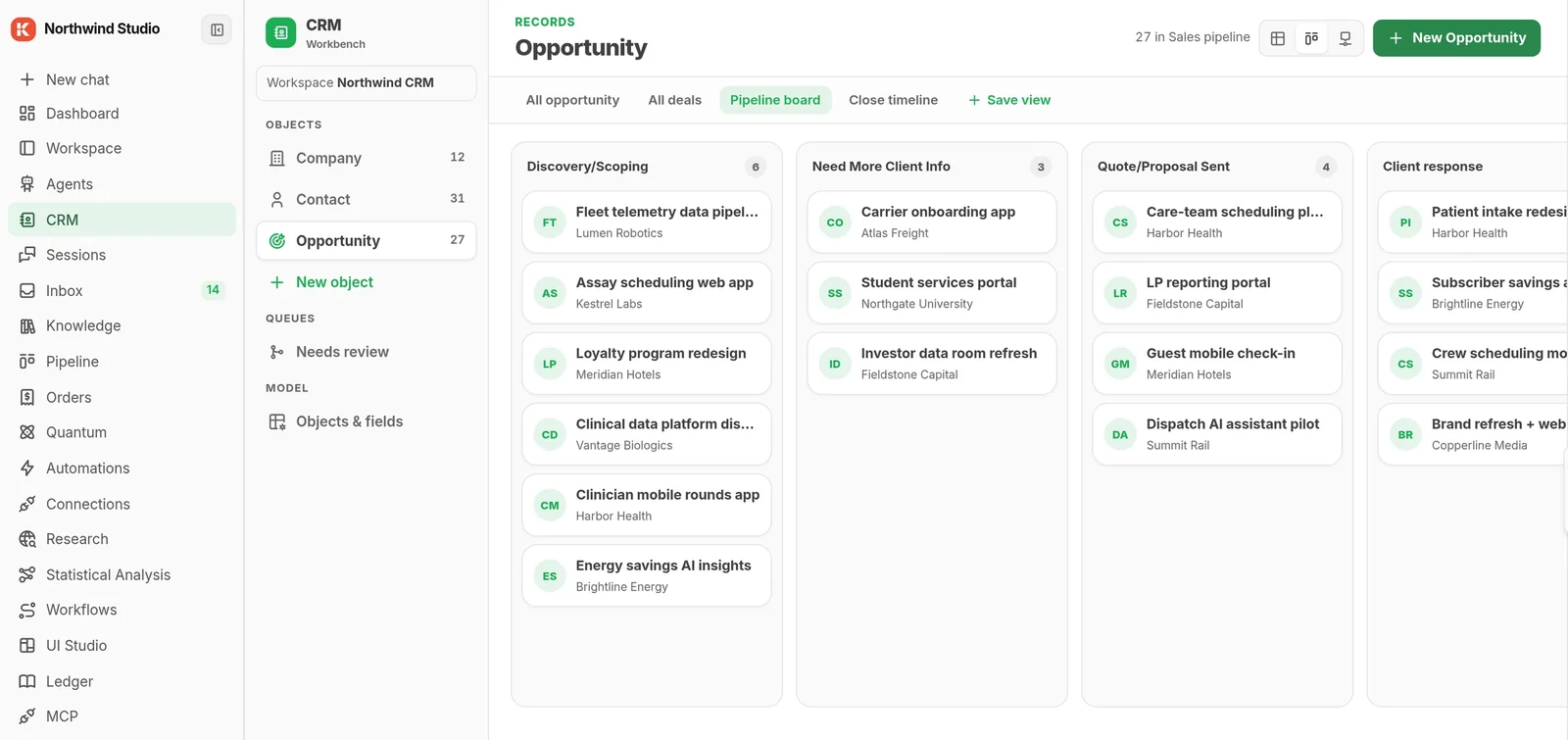
northwind.local/crm/board
Opportunities on a sales pipeline board with per-stage counts
Pipeline board. Opportunities by stage, with a count on each column.
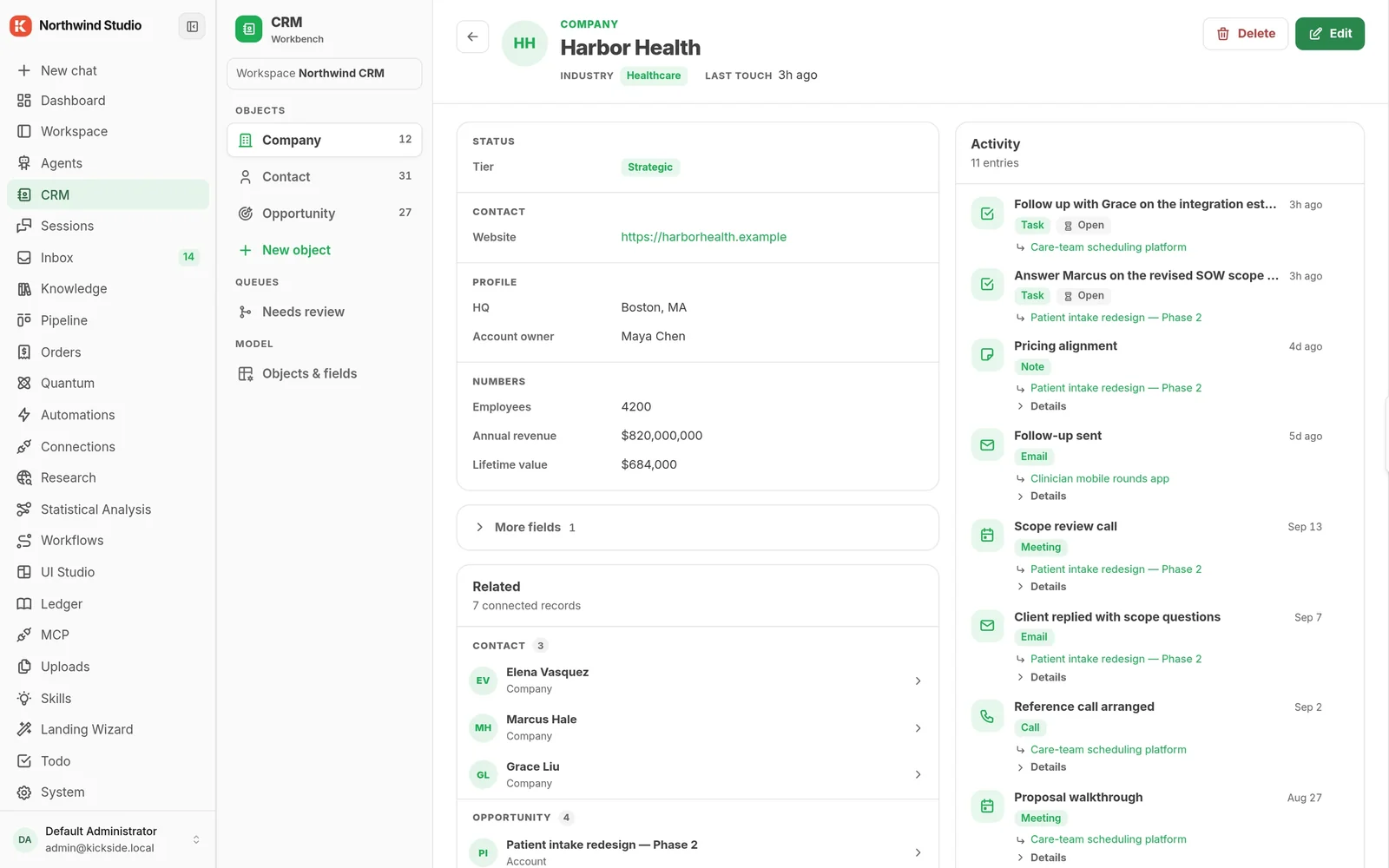
northwind.local/crm/companies
Company record rolling up activity from all of its deals, with related contacts and opportunities
Company record. Activity rolled up from every deal, with the related contacts and opportunities.
What a brief looks like

An hour before the call, in your inbox

Nobody filled in a form to produce this. It is assembled from the CRM records, the email thread and the notes your team already keeps.

Illustrative example.

Pre-call brief 08:00 · sent to your inbox
Maya Okafor · Northwind LogisticsDiscovery call at 09:00. Third conversation.
In 1 hour
Where it stands
Contract sent 14 days ago. Every field filled in. No reply since, and no meeting booked.
What they said last time
Budget approved for Q1. The blocker is a security review owned by someone you have not met.
What changed since
Two people from their side opened the proposal again last Thursday. Nobody replied.
Ask these
  1. Who signs off the security review, and can they join the next call?
  2. What happened between the contract landing and today?
  3. Is Q1 still the date, or has it moved?
The order to do it in

Value in the first week, not the first quarter

Teams that try to switch everything on at once end up trusting none of it. This is the sequence that works.

Week 01The monitor

Install, connect HubSpot, turn on the deal-health monitor. Tomorrow morning there is a list waiting. Nothing has been sent to anyone, so there is nothing to be nervous about, and you immediately find out whether it is reading your pipeline correctly.

Week 02The brief

Once you trust what it sees, let it write before the call. This is where reps start opening it on purpose rather than because someone told them to.

Week 03Inbound

Point it at the address where leads land. It researches and drafts; a person still sends. Response time falls without anyone changing how they work.

LaterOutbound

Last, and only once your voice and your rules are written down inside it. Outbound is the part that can embarrass you, so it is the part that goes live after you have watched the rest behave for a month.

Who uses it

Sales and presales teams of two to twenty

Founder-led sales, a small team on HubSpot, or a presales group that spends more time preparing for calls than being on them. It works best where a rep's day is already full and the pipeline is bigger than anyone can hold in their head.

It is a poor fit if your problem is that nobody puts anything in the CRM. Software that reads your records can only be as good as the records, and that is a management problem before it is a tooling one.

What it will not do

  • Send anything on its own. Every outbound email waits in an approval inbox for a person, by design, and there is no setting that changes that.
  • Replace your CRM. It reads and writes to the one you have. Most teams never move off HubSpot.
  • Score leads well on day one. It scores against a description of your buyer that you write, and the first version of that description is always wrong.
What it connects to

The systems your team already has open

Connections are read and write, configured once, and they live on your copy. Nothing is copied into a system we control, and you can disconnect any of them without losing what you built.

HS

HubSpot

Contacts, companies, deals and notes. Read, and written back.

GM

Gmail

Threads and drafts. Nothing sends until a person approves it.

GC

Google Calendar

Meetings, so a brief knows which call to arrive before.

SL

Slack

Where the alerts land, if that is where your team already is.

JI

Jira

Issues and status, for presales teams tracking delivery risk.

CF

Confluence

Pages your team already wrote, used as context rather than retyped.

GH

GitHub

Repos and issues, for when the deal is a technical one.

WH

Webhooks

Anything else that can post JSON, in either direction.
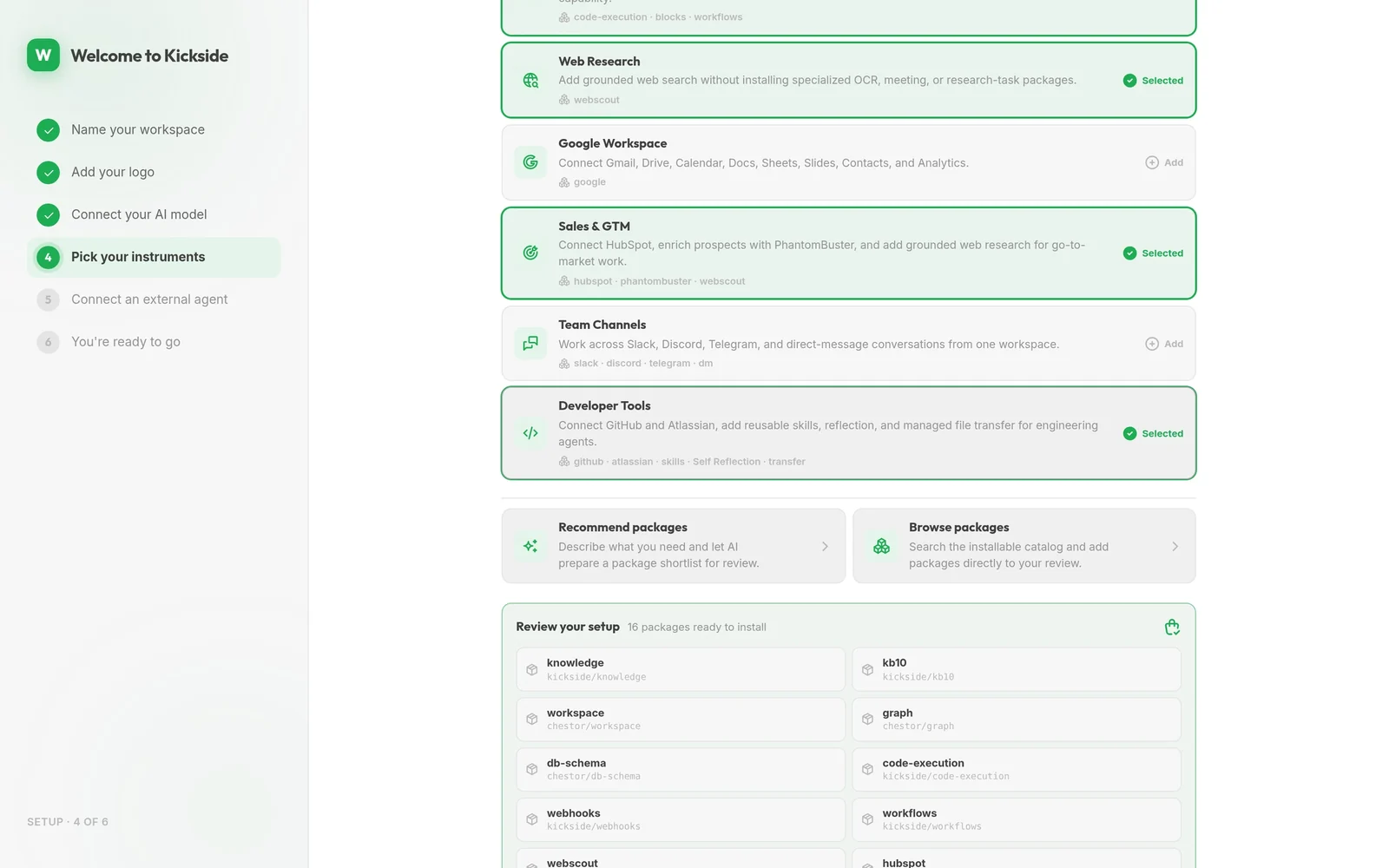
northwind.local/setup
Setup step with the Sales and GTM bundle selected: HubSpot, PhantomBuster and web research
Picking instruments during setup: the Sales & GTM bundle brings the HubSpot connection with it.
Where to start

Install, connect HubSpot, run the monitor overnight.

Free on a copy you run yourself, with unlimited users and no trial clock. The only thing you need before you begin is somewhere to run it and permission to connect your CRM.

curl -fsSL https://get.wippy.ai | sh
wippy install kickside
Community edition, free.