The context lives in a chat window. Close it and the thing you built knows nothing about your data, your rules, or last week.
MCPClaude Code and Cursor build straight into it
You built something with AI that worked. Then it forgot, broke, and you rebuilt it.
KickSide is where the software you build with AI goes to keep running. On your own machine or cloud, against your own data, for the rest of your team. Install it once and what you build stays.
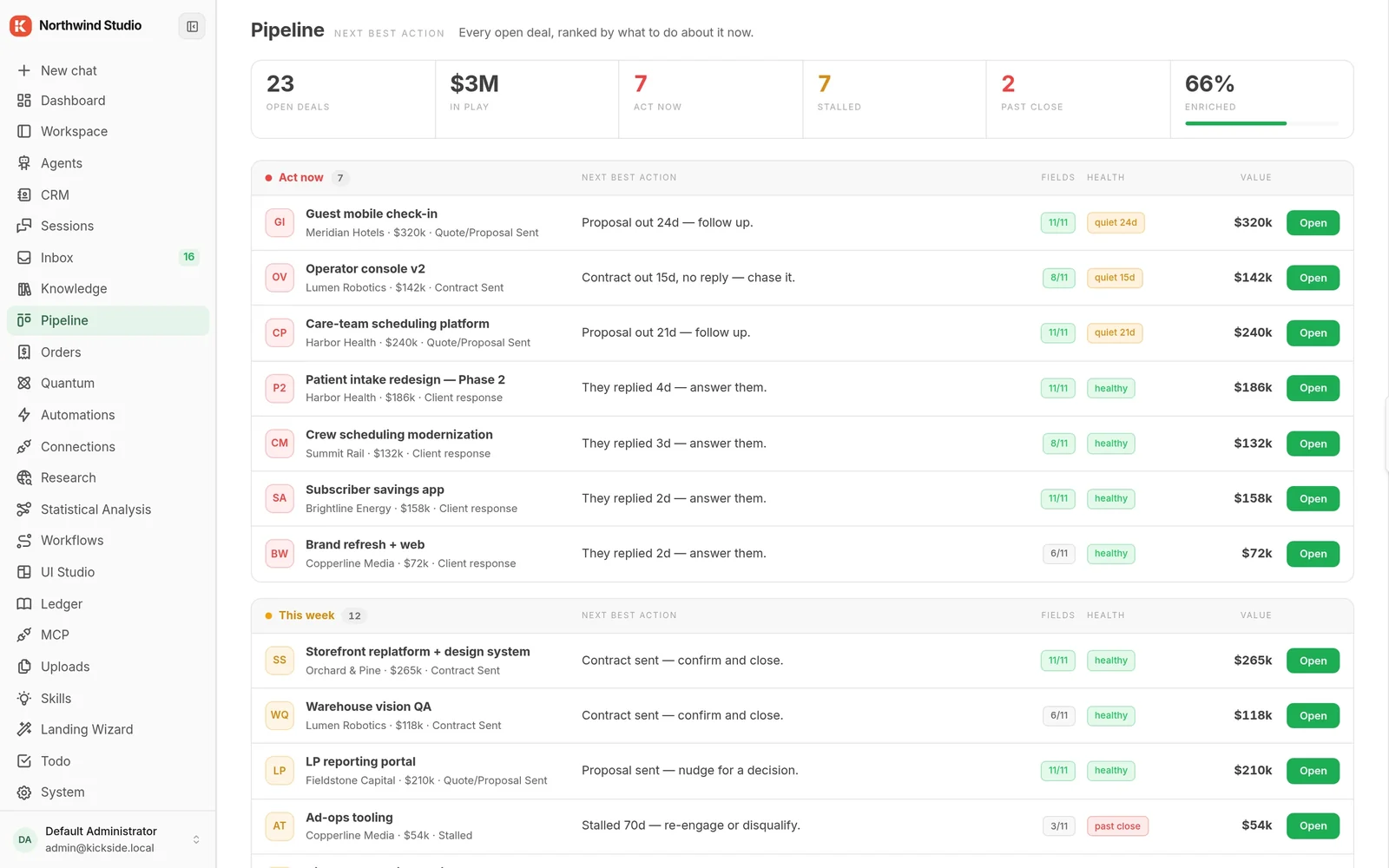
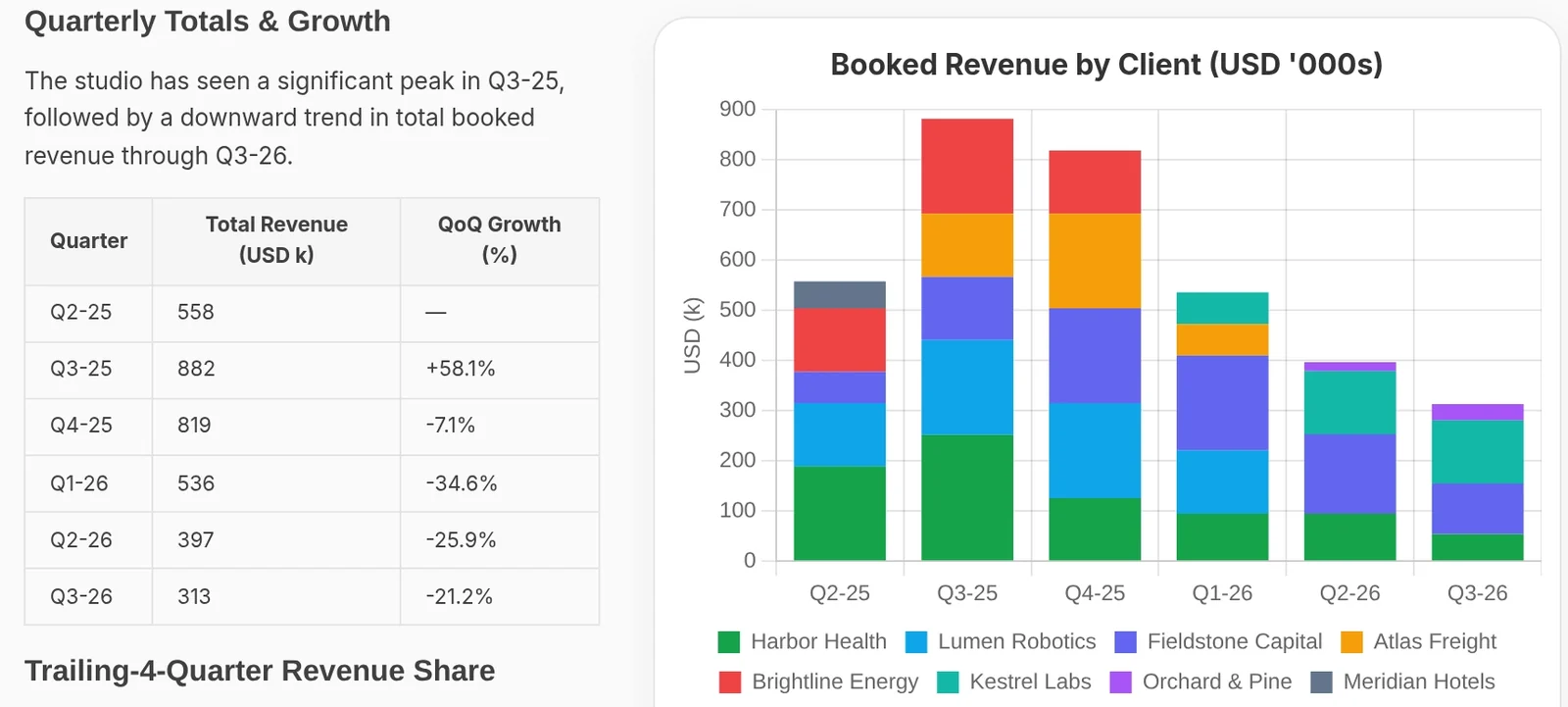
130+ modules in the Hub catalog. Install any of them while the app runs.
The problem
Why the things you build with AI don't last
It ran on one laptop, against a key that expired, in a tool that changed over the weekend. Nobody else could fix it because nobody else could see it.
Every quarter someone re-creates the same automation and it dies the same way. The work was real. It just had nowhere to live.
The question everyone asks
I already have Claude Code. Why do I need this?
Because a coding agent is the best way to build a thing and the worst place to keep one. It has no memory of your business between sessions, no shared data underneath it, no record of what it did, and no way for anyone else to use the result.
KickSide is the part that comes afterwards. Your AI tool connects straight into it and builds there instead: on your real contacts and deals, inside the permissions you already set, next to everything you built before.
That last part is the whole argument. The tenth thing you add works with the first nine without any wiring, because they all stand on the same ground.
Claude Code builds it. KickSide is where it lives.
One ground
Your dataYour rulesPeople & sign-inRecordsKnowledgeAgentsApprovalsOne record of everything
36copies of data, keys and rules to keep in step
0things that can read what the others wrote
Each one carries its own copy of the data and its own idea of the rules. The next one is another island.The tenth arrives already able to read what the first nine wrote. Nobody wires anything together.
Nothing has to be connected, because nothing was ever apart.
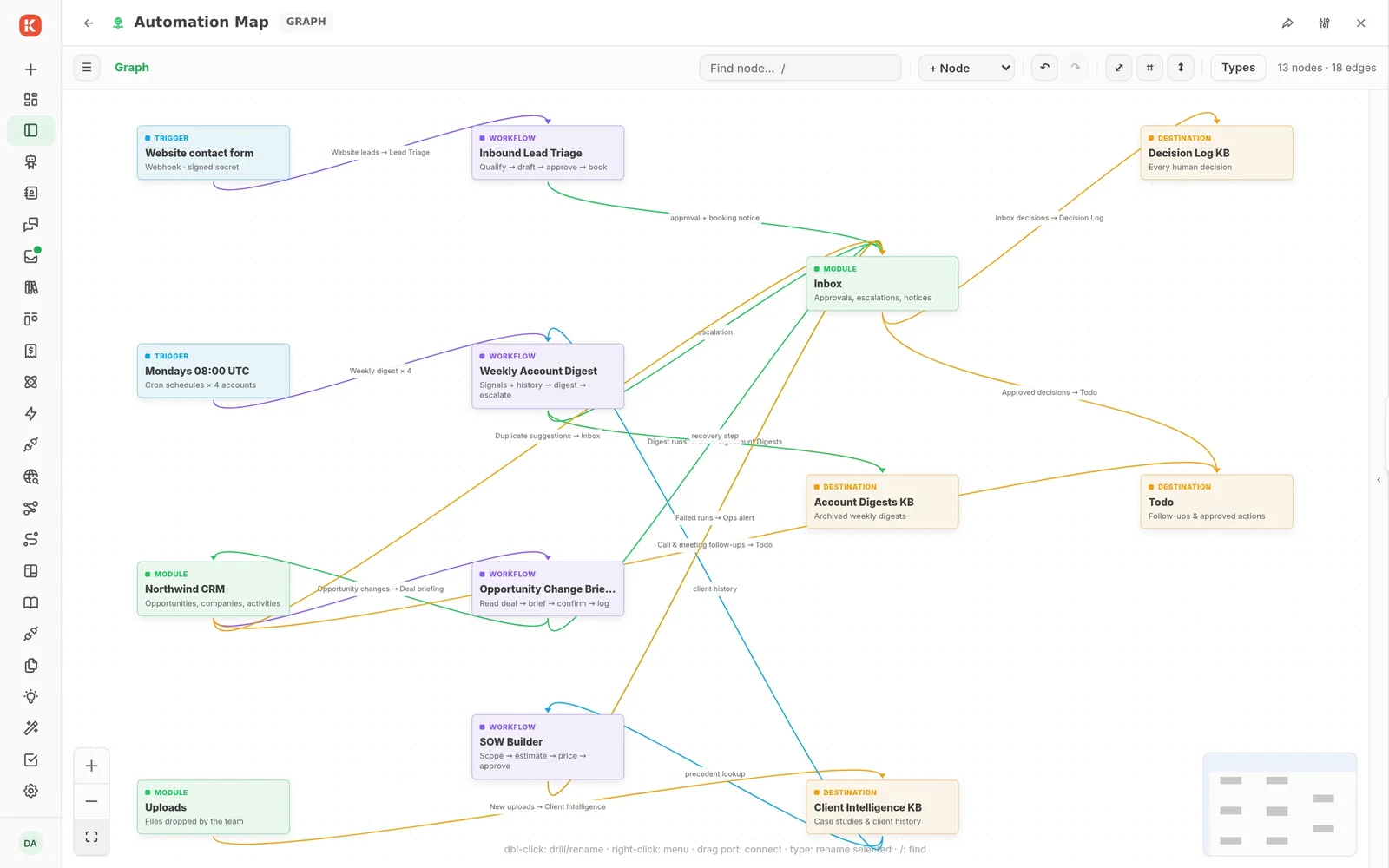
Thirteen automations in one copy, wiring a website form, the CRM, four workflows, the inbox, three knowledge bases and a todo list together. Each line is a source handing records to a destination. None of it is integration code.
What you get today
One place where everything you build works together
Your contacts, deals, documents, automations and agents share the same data and the same rules. It is an application constructor, not a monolith: a small core, and every capability an optional module you add or remove while it runs. Switch groups on and off. See every screen →
KNorthwind Studio
0surfaces
0modules
Every change above is one recorded install, applied live. Remove a group and its screens, tools and permissions leave with it.
Visual workflows, as a module
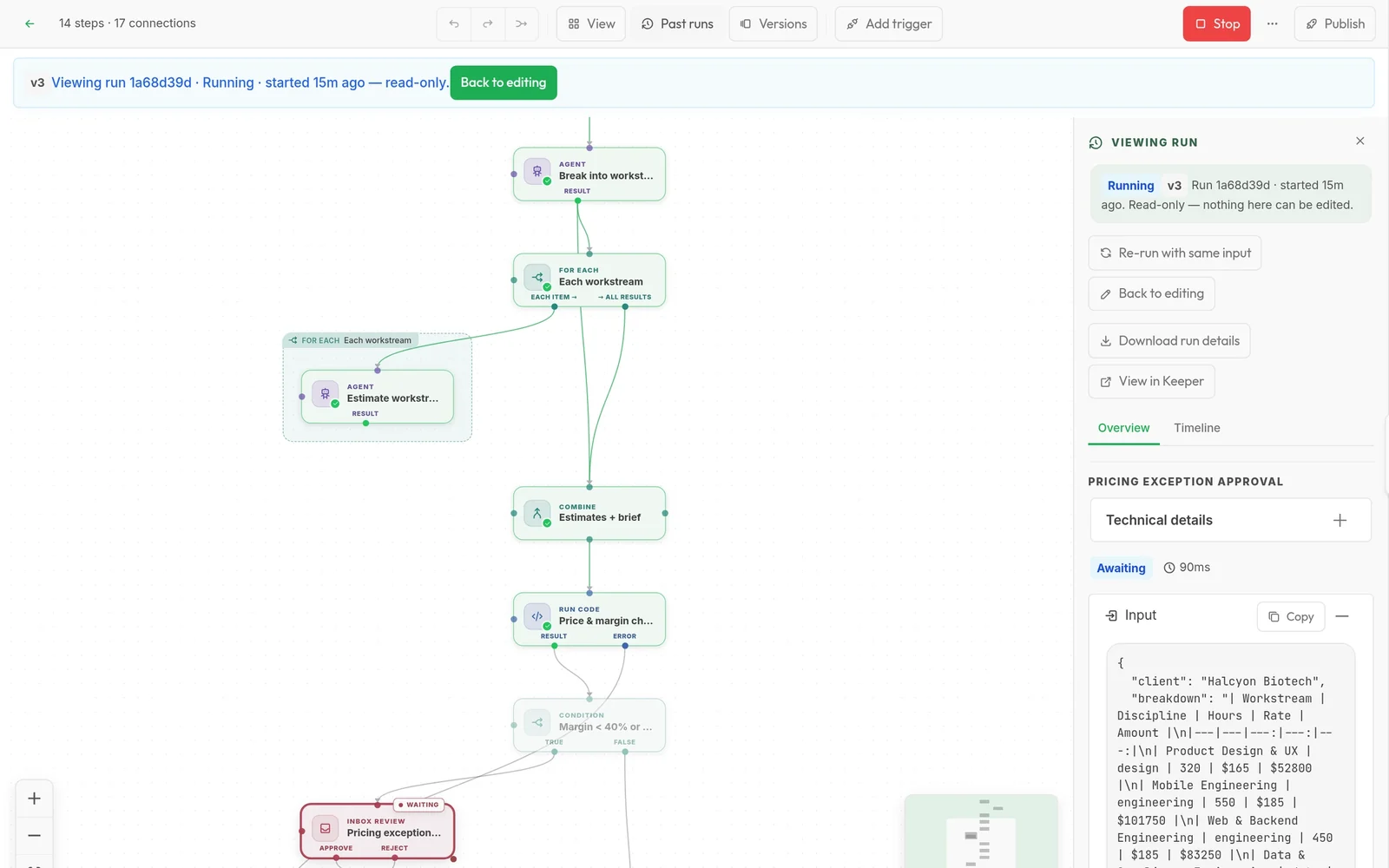
Agents, knowledge and people, on one canvas.
15steps in this lead triage
20connections, with branches and an error path
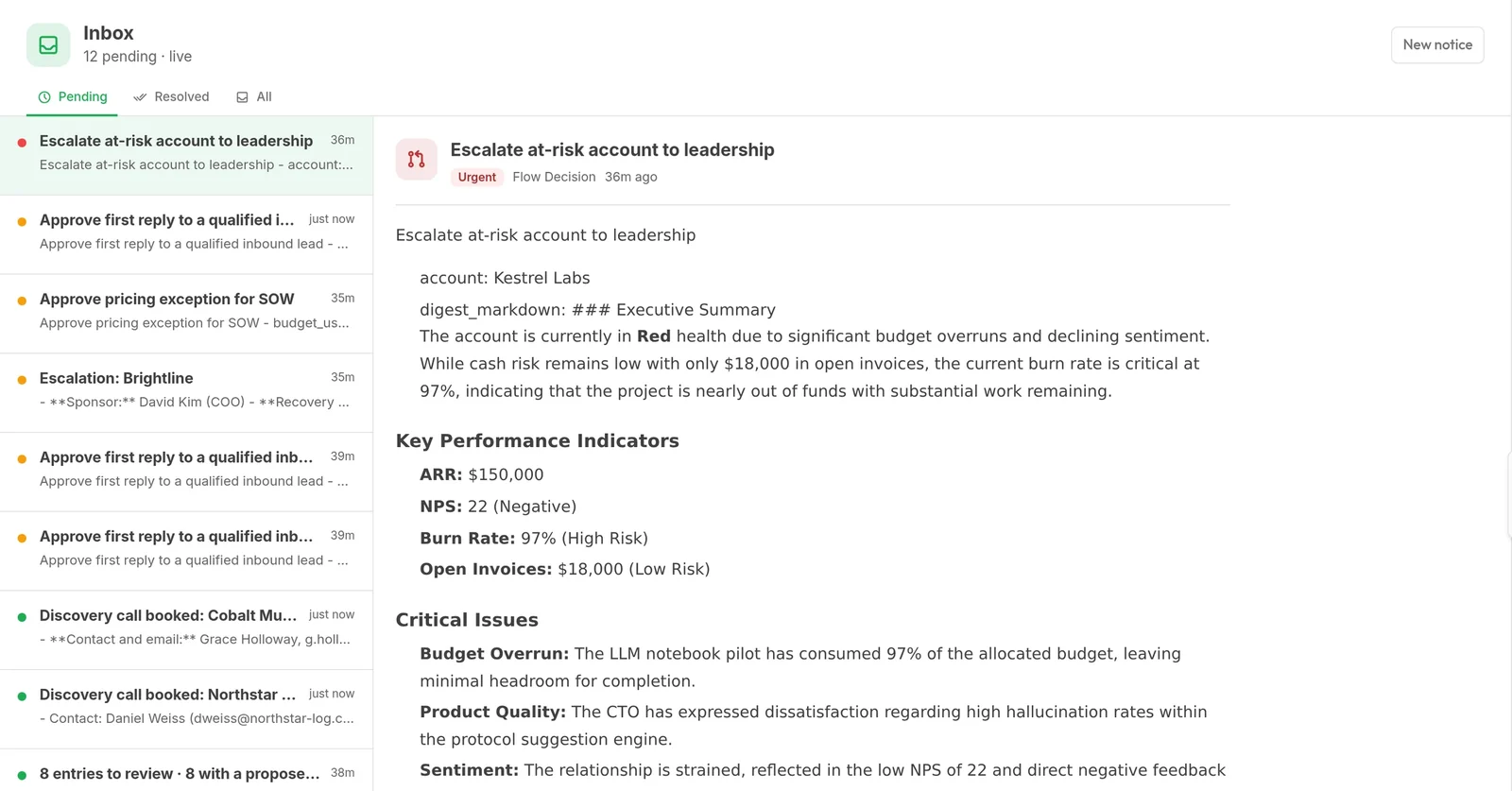
1person approves every first reply before it leaves
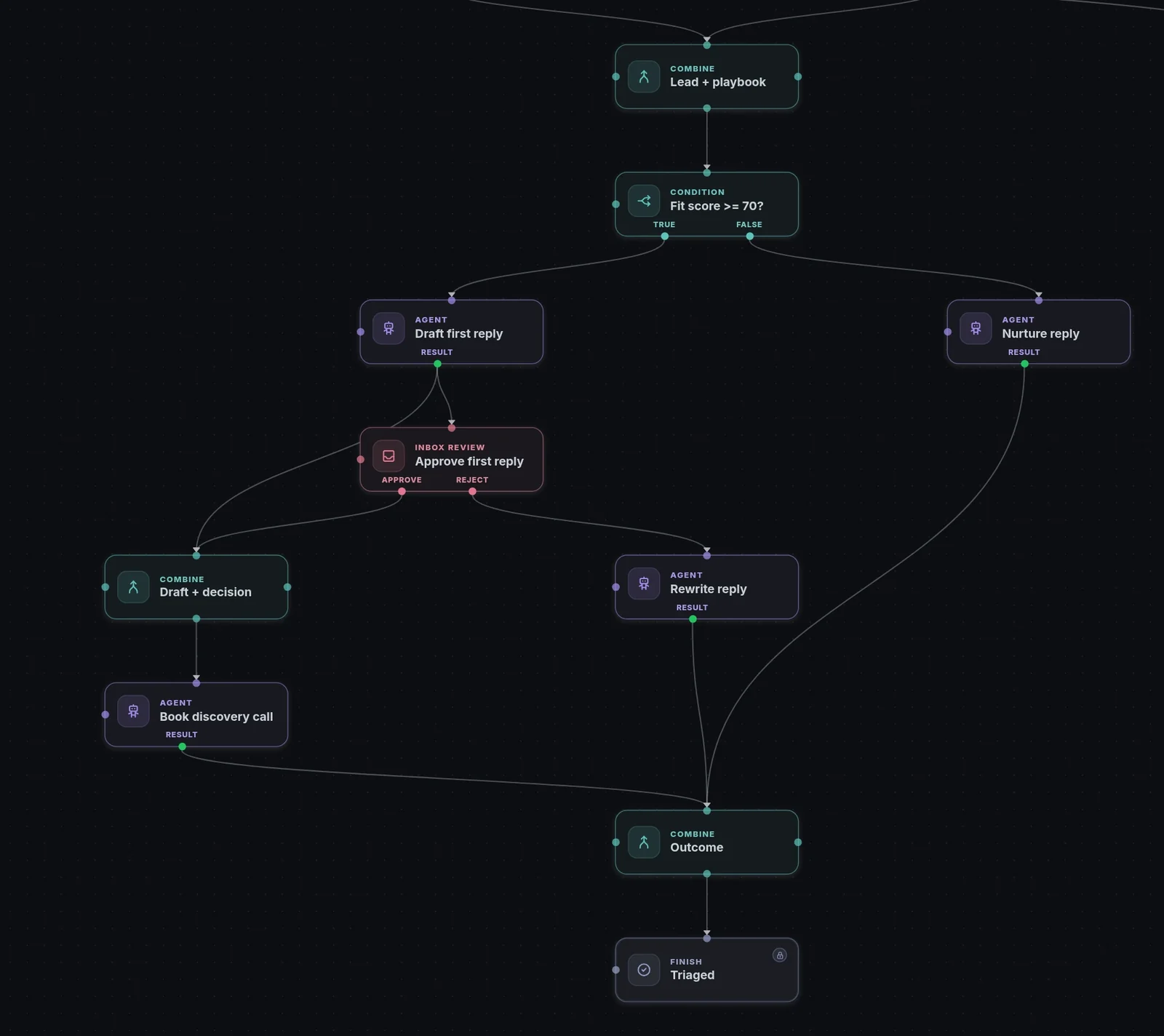
Workflows are versioned and published like software. Every run is kept under Past runs, step by step, and anything consequential stops in the inbox until a person decides.
Whole products elsewhere
What others sell as a product is one module here.
A visual workflow editor like n8n is a company somewhere else. In KickSide it is a standard module you install in a minute, and it runs on the same records, people and rules as everything else you have.
Elsewhere, a whole productIn KickSide, a module
Visual workflow automationkickside/workflowsShown above
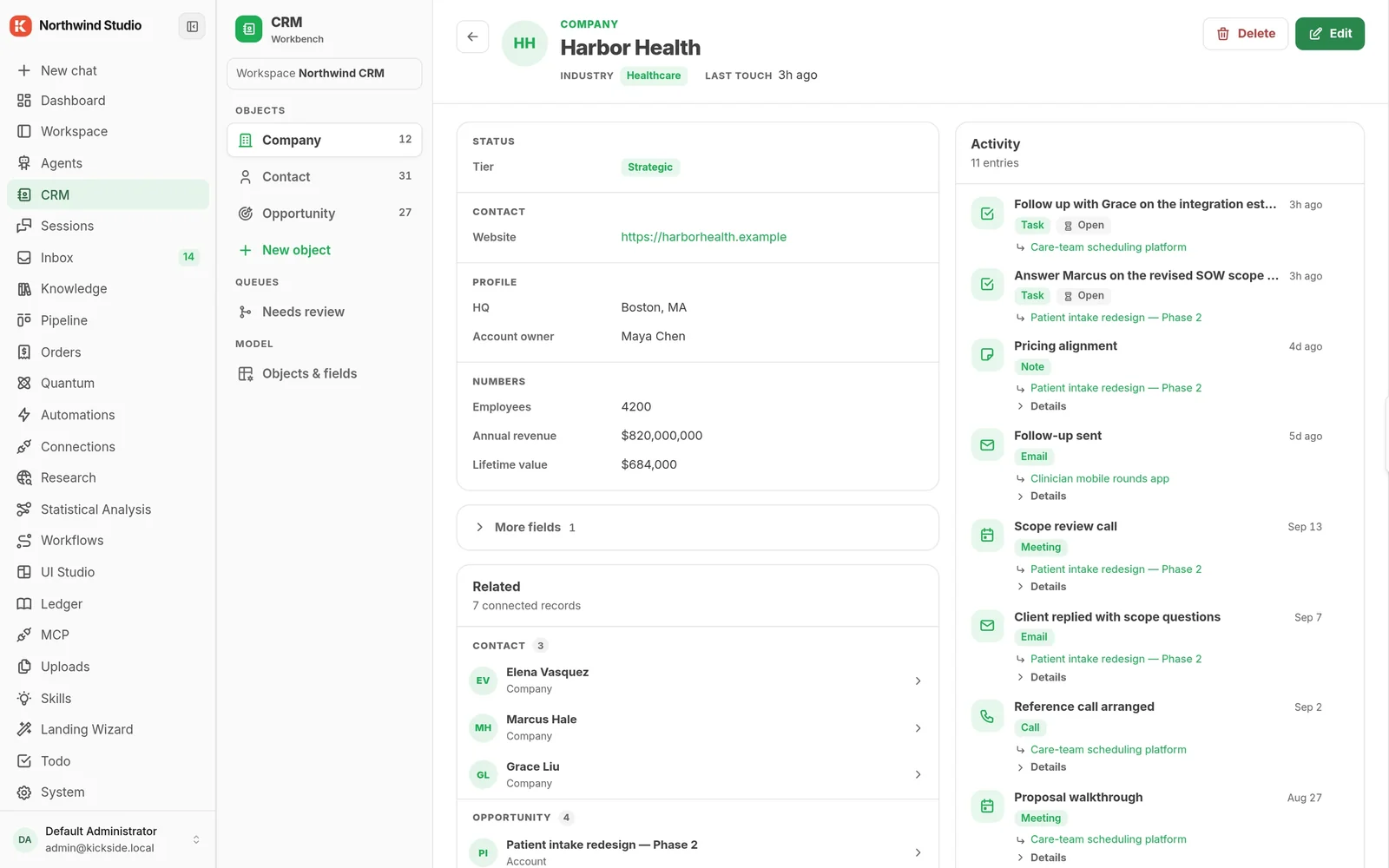
CRM with pipelines and custom objectsspiralscout/crm
Objects and fields you define, with board, table and timeline views over the same records.
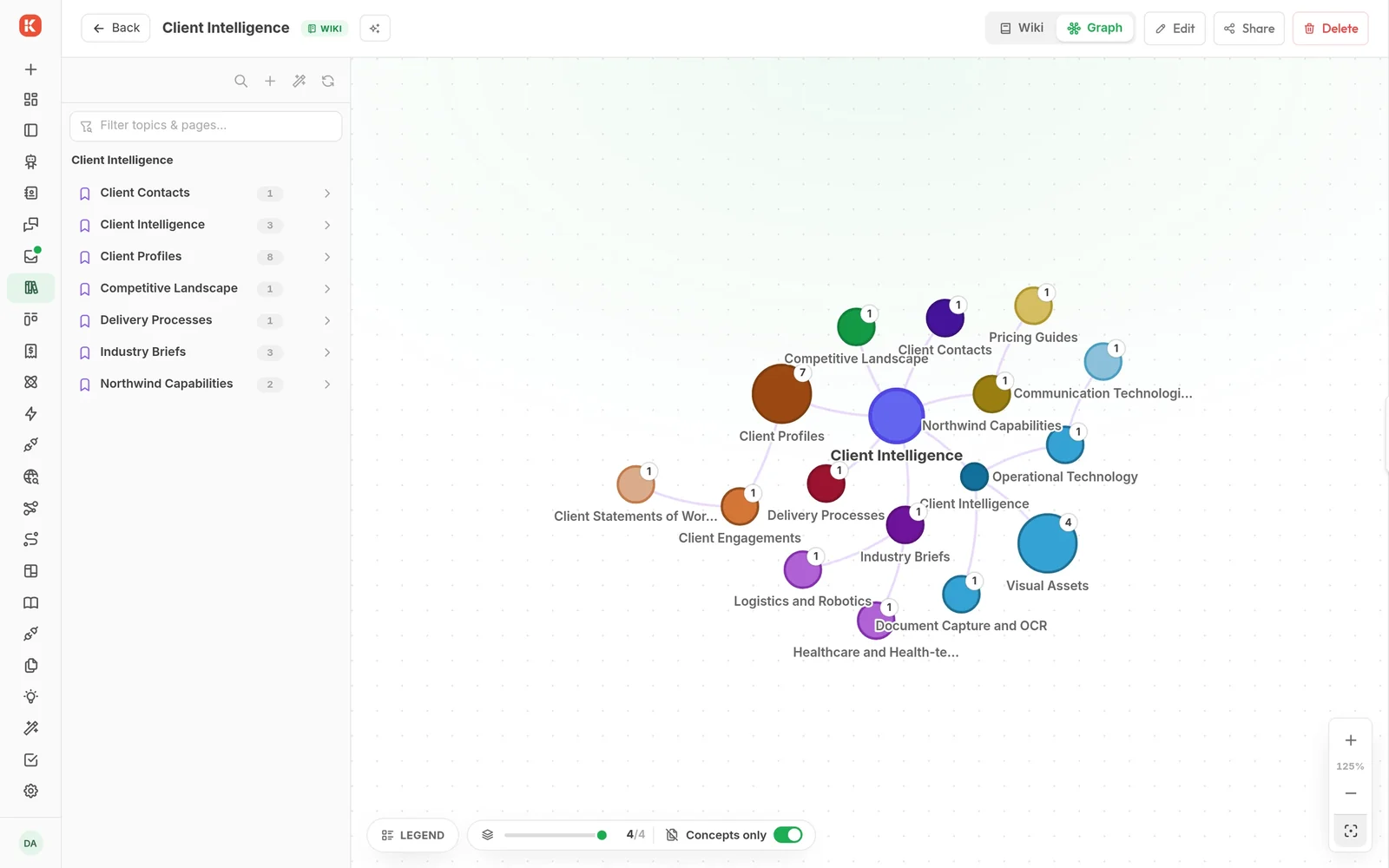
Knowledge base and document searchkickside/knowledge · kb10
Document and graph knowledge bases. A graph knowledge base keeps a concept map, so agents navigate by topic instead of guessing.
AI research assistant with a reportkickside/research
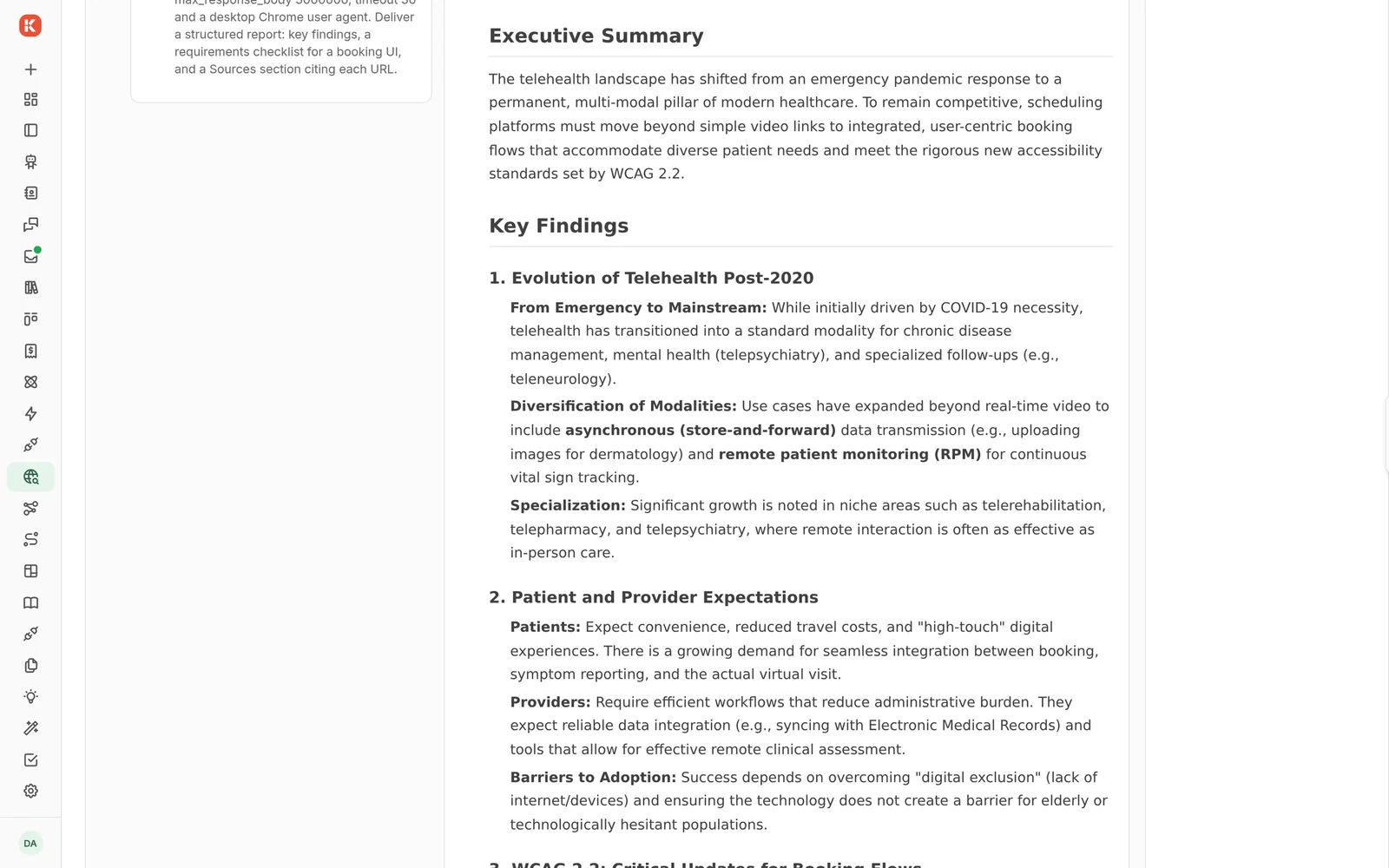
Ask one question and get a structured report: a summary, findings and a checklist, kept next to the rest of your work.
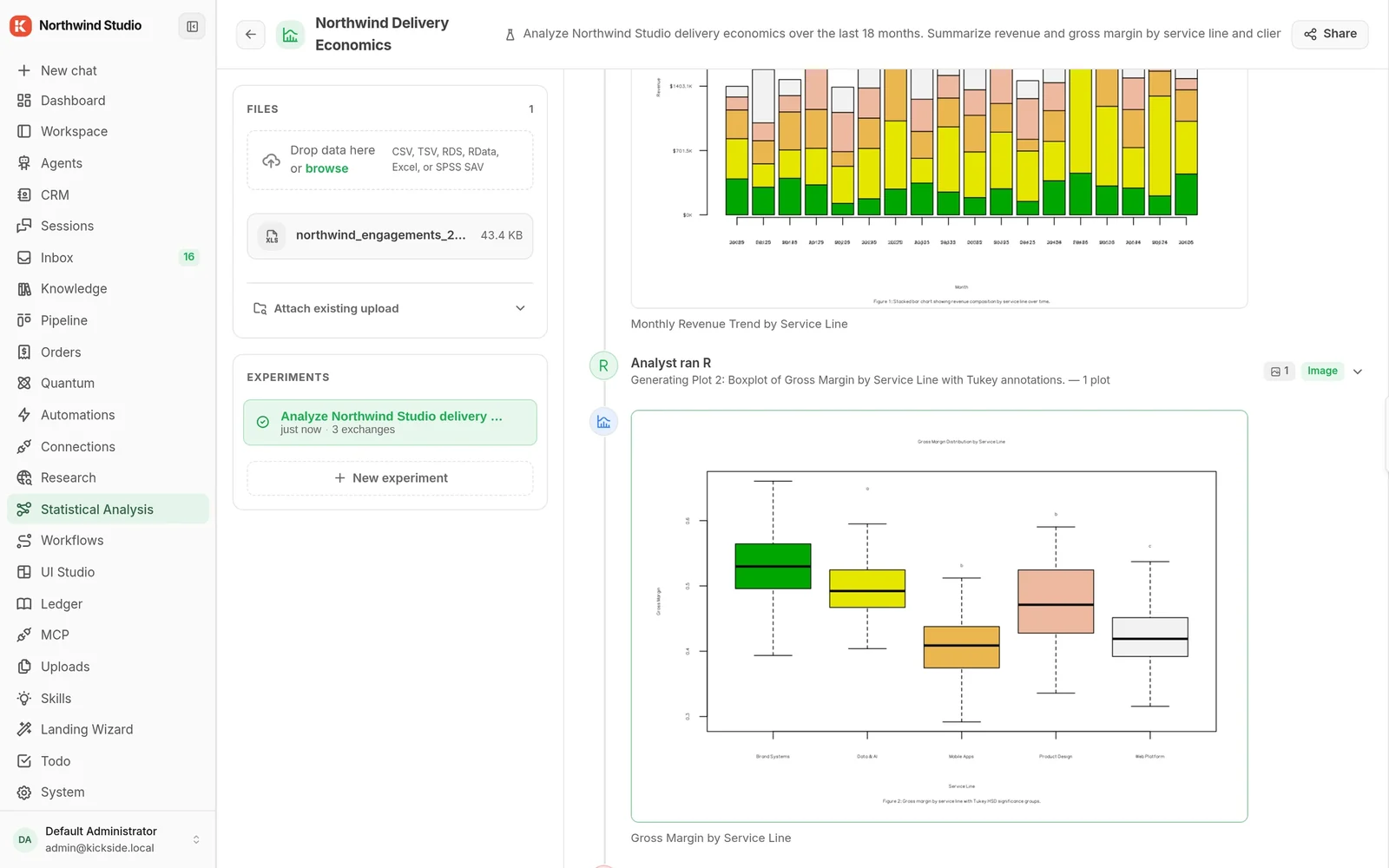
Statistics workbench running Rspiralscout/stat-analysis
Real R, running sealed inside the platform, with an agent that writes the analysis and the plots.
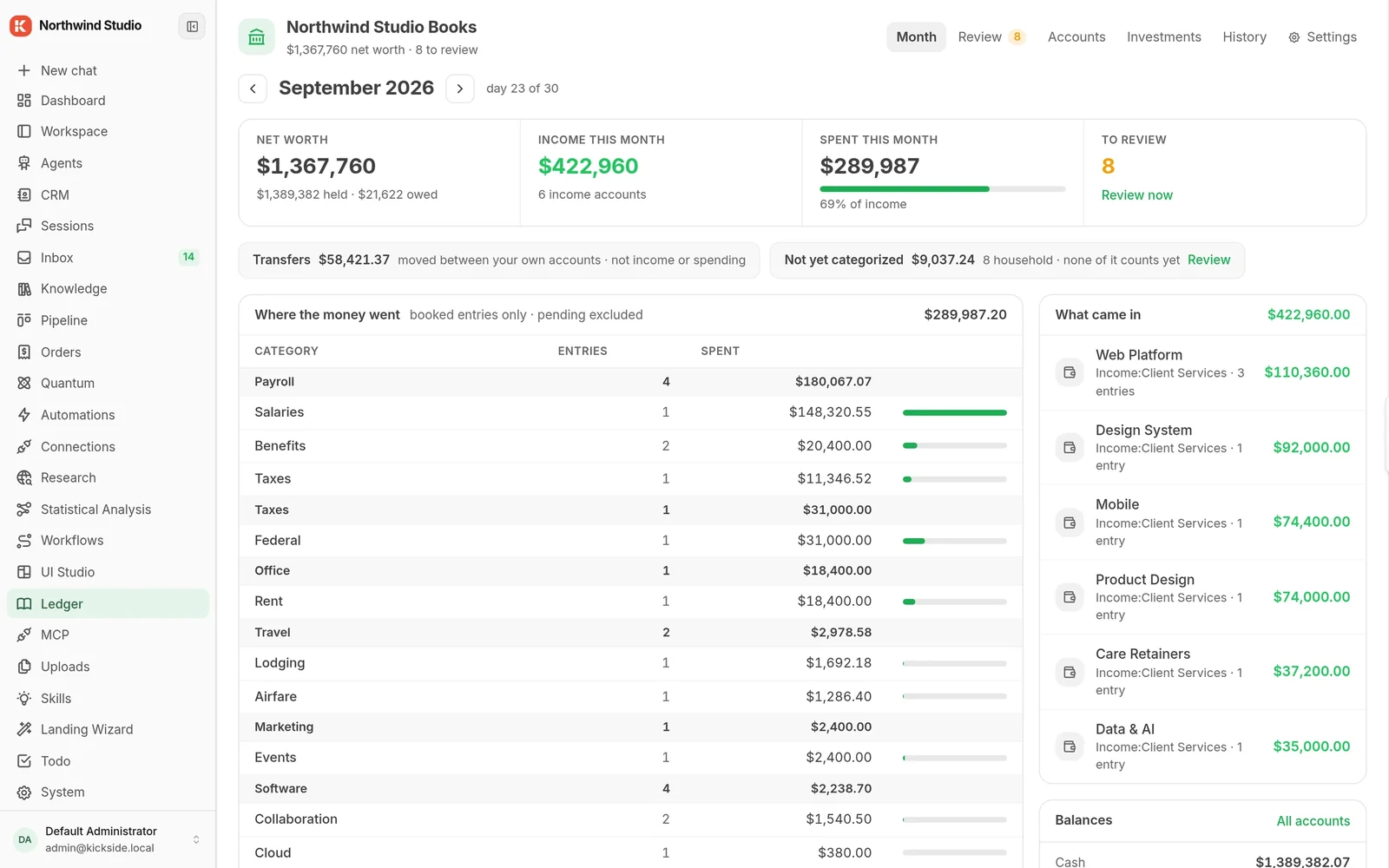
Bookkeeping with AI categorisationwolfy-j/ledger
An agent proposes a category with its confidence and reasoning; a person books it or turns it into a rule. The month view keeps what is still waiting for review.
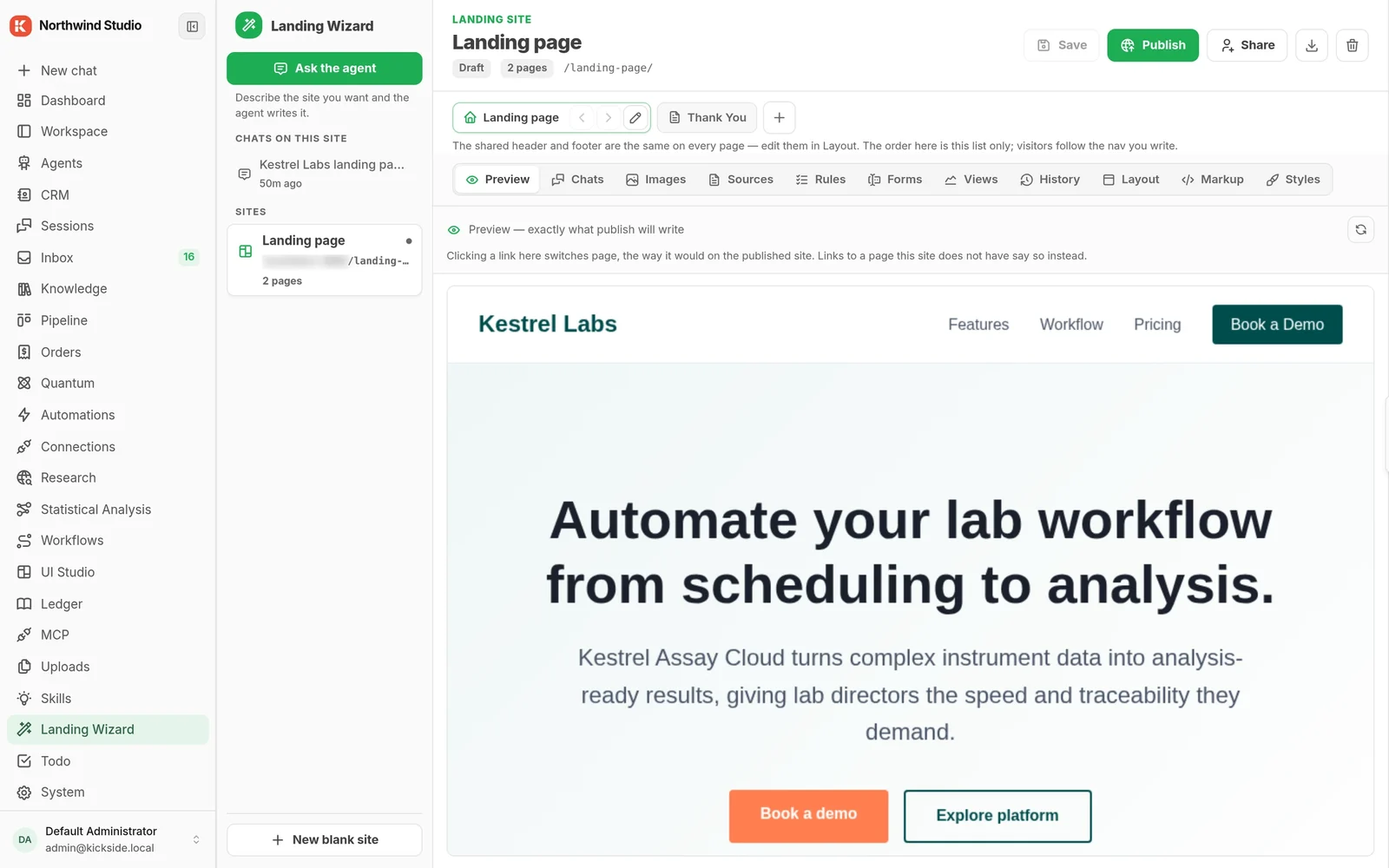
Landing page builderkickside/landingwizard
Build and version landing pages from the admin screen or from a chat with an agent.
kickside/mcpOn Platform
Each one installs while the app runs, shares your data and permissions with the rest, and can be removed the same way. And the next one can be yours.
MCP, built inYour AI tools plug straight in. Safely.
How connections work →
The engine underneath
A datacenter at your fingertips. That scales when you do.
How the platform works →- Isolated, supervised workers
- Work that survives a crash
- Changes while it runs
- Rules that travel with the work
- Other languages, sealed in
- One binary to a whole cluster
Who it's for
Find yourself here
Operators and technical founders
You made something useful with Claude, Cursor or an agent, and right now it lives on a laptop. You want it running on real data, for people who aren't you, next year.
- Ops, RevOps, or a founder comfortable with a terminal
- Already using HubSpot, Zapier or a coding agent
- At least one thing you built that never shipped
Start on Community, free. Move to Cloud when a second person or a second environment shows up. How ops teams use it →
Agencies and consultancies
You've built the same client system four times and billed hours each time. You want to build it once, install it into each client's own copy, and put your name on it.
- Dev shop or consultancy, roughly 8 to 80 people
- Repeat client builds in ops, CRM or automation
- Want product revenue without becoming a software company
Community for you. Cloud Team for clients who'd rather you ran it. How agencies use it →
Regulated and data-sensitive companies
Legal, finance, health, insurance, EU. A security review is a gate. You need your own copy, on infrastructure you control, with a record of everything that happened.
- 50 to 500 people, with a named owner for IT or operations
- Client-confidential or regulated data
- An AI policy being written, or a vendor review that just failed
Enterprise. Your own private cloud or fully offline, with a named engineer. How regulated teams use it →
Probably not for you, yet
- Nobody on your team is technical. Someone still has to run two commands and own the result, or set up a Cloud copy and connect it.
- You need SOC 2 or HIPAA certification today. We have the architecture, not the certificates, and we'll say so on the first call rather than the fourth.
- Your problem is a data mess rather than a thing you built. That's a services engagement, and Spiral Scout does those.
How it works
Four steps, then it's yours
A fresh copy starts lean. Everything beyond the core installs from the Hub while the app keeps running, and every install is recorded so it can be rolled back.
Install
Two commands on your laptop, a server or a cloud box. Bring any model: hosted, or your own GPUs.
Connect one thing
HubSpot, Gmail, Slack, Jira or your calendar. One connection is enough to be looking at your own data instead of sample data.
Add what you need
Use what's in the box, install a module someone else published, or point the AI tool you already use at it and build your own. Whatever you build lands next to the real data, under the same rules.
Keep it
New pieces work with the old ones without wiring. Update everything from one screen. Nothing phones home, nothing expires, and the copy is yours.
130+modules in the Hub catalog
22surfaces in this demo copy
0restarts to install them
1folder holds the whole copy
Safety, privacy and the record
What stops AI-built software doing something you didn't ask for
Two screens answer most of it. On the left, what a module is allowed to do, decided by you and checked on every attempt. On the right, what gets written down when it runs.
Module permissions Outbound drafter
Read contacts and dealsThe records it needs, and nothing beside them.
AllowedWrite to the approval inboxDrafts only.
AllowedSend emailNeeds a person, every single time. No setting changes this.
Needs a personRead files on diskOutside the platform.
DeniedReach the internetNot granted to this module.
DeniedAudit record read-only · exportable
- When
- 06:00:12 · 14 March
- What
- Deal-health monitor, scheduled run
- As
- Automation, running as the person who set it up. No borrowed credentials.
- Read
- 12 contacts, 5 deals. Each record listed by id.
- Did
- Wrote one inbox item. Sent nothing to anyone.
- Where
- ops-01.yourcompany.internal
Illustrative entries; your own permissions and records appear here.
It starts with no access.A new piece of software can't read your files, reach the internet, or touch anything else until you allow it.
Every attempt is checked.Not once at setup. Every time it tries to do something, against what you allowed.
Everything is written down.What ran, for whom, against which record. Your compliance team can read it without asking us.
One company per copy.Nothing is shared with anyone else, and your data never passes through our servers unless you choose that.
Your data isn't training data.Your data, your private modules and your synced history are never used to train models. Not aggregated, not anonymised, not ever.
Not there yet: signed, verified packages from our Hub. Until then a module from anywhere else installs fine and shows as unverified. Treat it the way you'd treat any code from the internet. How the platform enforces this →
FAQ
Before you install
Do I have to give you an email to install?
No. The two commands are right there. The email field is optional: it gets you a five-minute setup guide now and one check-in at day seven, and nothing else. We don't sell the list and we don't drip-email you.
Do I have to host it myself?
No. Community runs on your own machine and is free. Cloud runs it for you from $99 a month, with a 14-day trial and no card required.
Is it open source?
It's source-available. The code is public, and you can read it, change it, run it in production at any size, and fork it. You can't sell KickSide itself or host it for third parties who pay you for access. Building for clients, publishing your own modules and forking under a new name are all free. The whole licence in plain language →
Do you train on my data?
No. Your data, private modules and synced history are never used to train models. The one exception is a module you choose to publish publicly on the Hub, and you can opt that out too.
What if you go out of business?
Your copy keeps running. It's on your machine, and nothing needs to check in with us to keep working. Each version keeps the licence it shipped with.
We already use HubSpot. Do we have to replace it?
No. Connect it and keep it. Most people start with the one thing HubSpot wouldn't do for them.
Who is behind this?
Spiral Scout, a software company that has been building for clients since 2010, and the team behind the Wippy runtime that KickSide is built on. We run our own sales and delivery on KickSide, which is how most of it got specified.
Get started
Two commands, and you're running.
Install it
On your laptop, a server, or a cloud box. About a minute. The email is optional and gets you the setup guide.
Or talk to a person first
A module you need, a partner licence, Cloud Team, or an Enterprise deployment. One reply, usually within a business day.
curl -fsSL https://get.wippy.ai | shwippy install kickside