A datacenter at your fingertips. That scales when you do.
Everything a serious operation needs from its infrastructure lives inside one app you can run on a laptop: isolated workloads, automatic recovery, durable jobs, access control on every action, change history, many languages, many machines. It is the reason the software you build with AI can be trusted with the business.
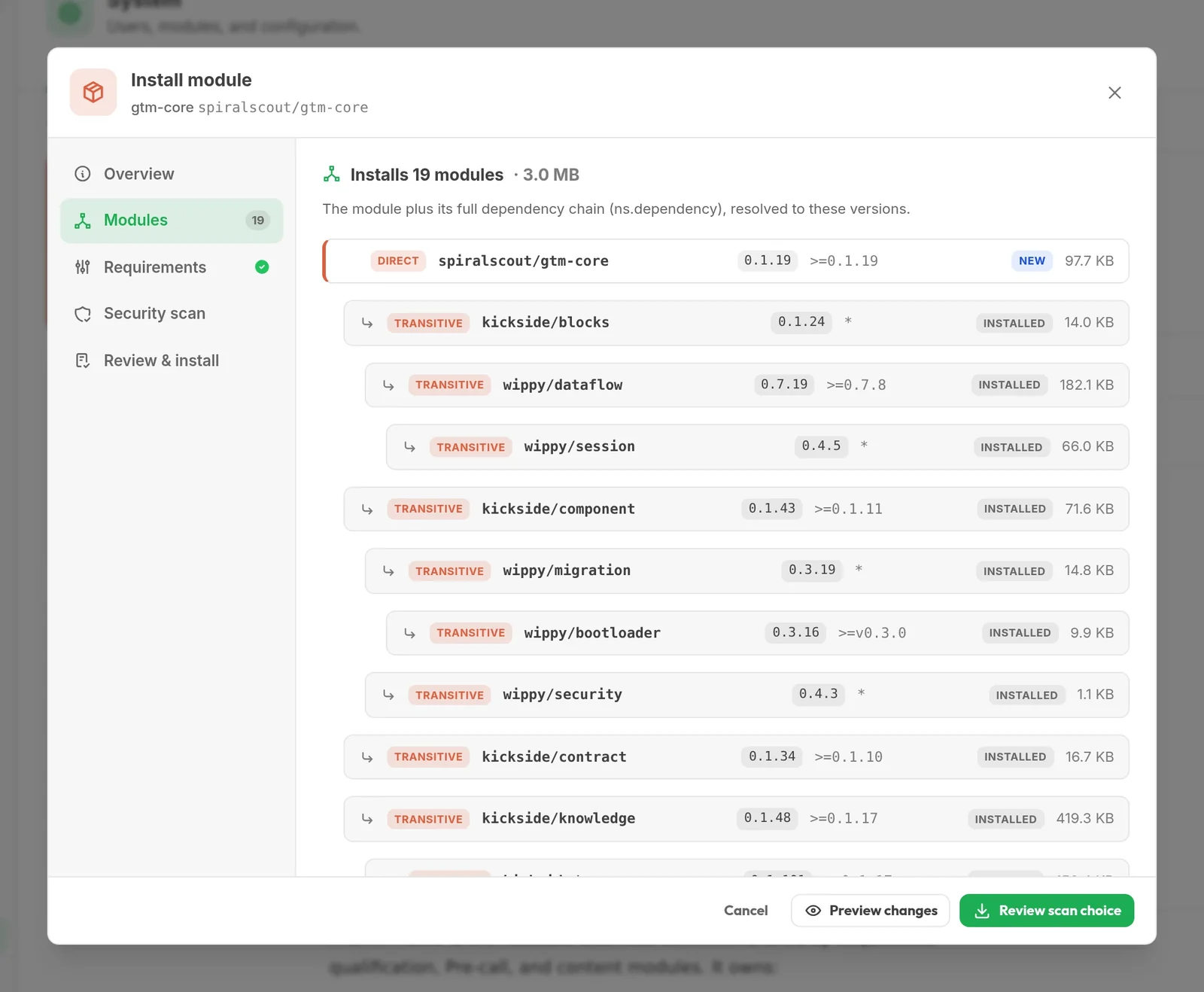
Install capabilities the way a package manager installs code.
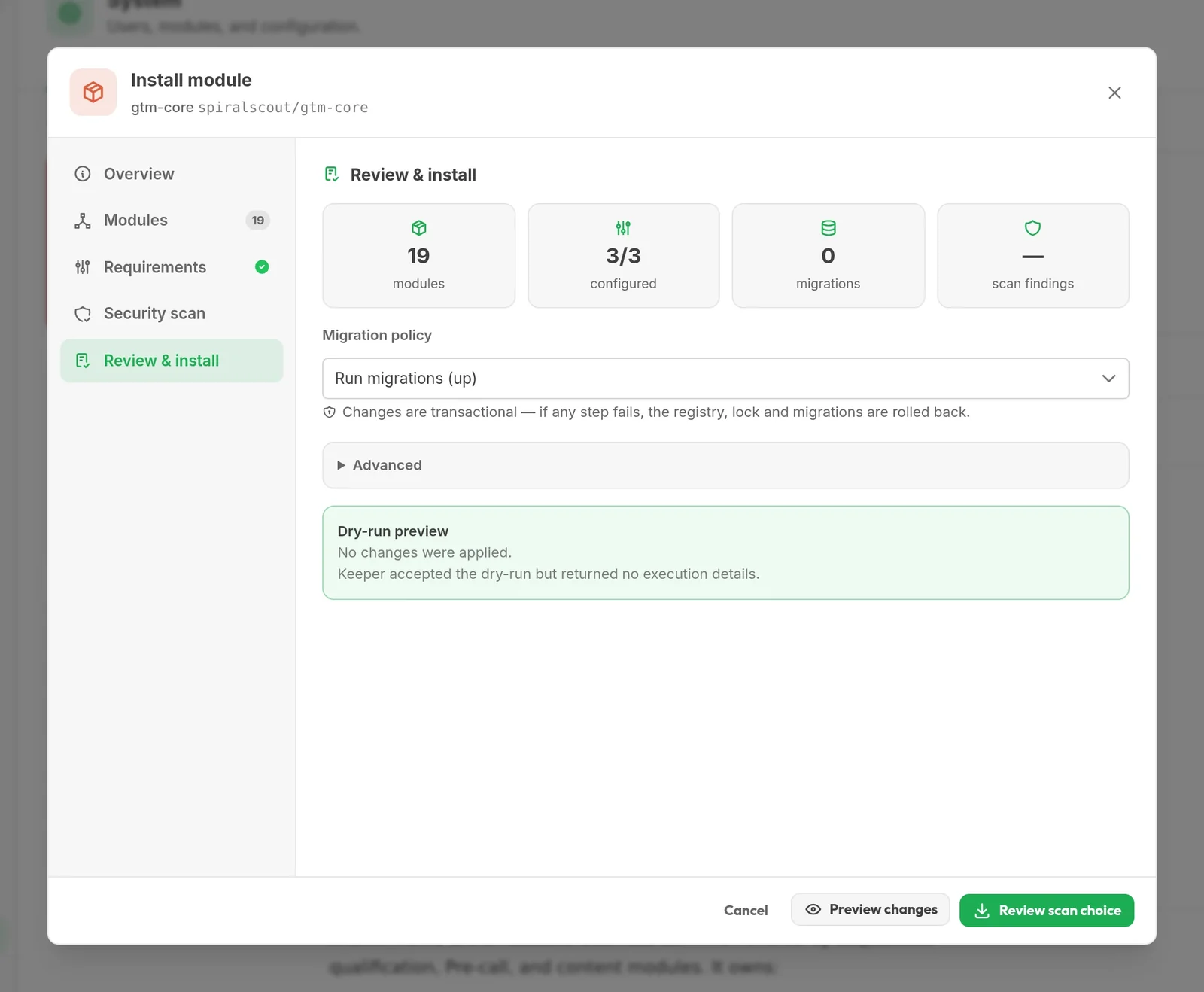
Every capability is a versioned module from the Hub. Installing one resolves its whole dependency chain, checks what it requires, scans it, and applies everything as one recorded change while the app keeps running. If any step fails, the registry, lock and migrations roll back together.
Nineteen modules, three requirements, one decision
The review shows what will be installed, what it needs from your copy and which migrations will run, with a dry run before anything changes.
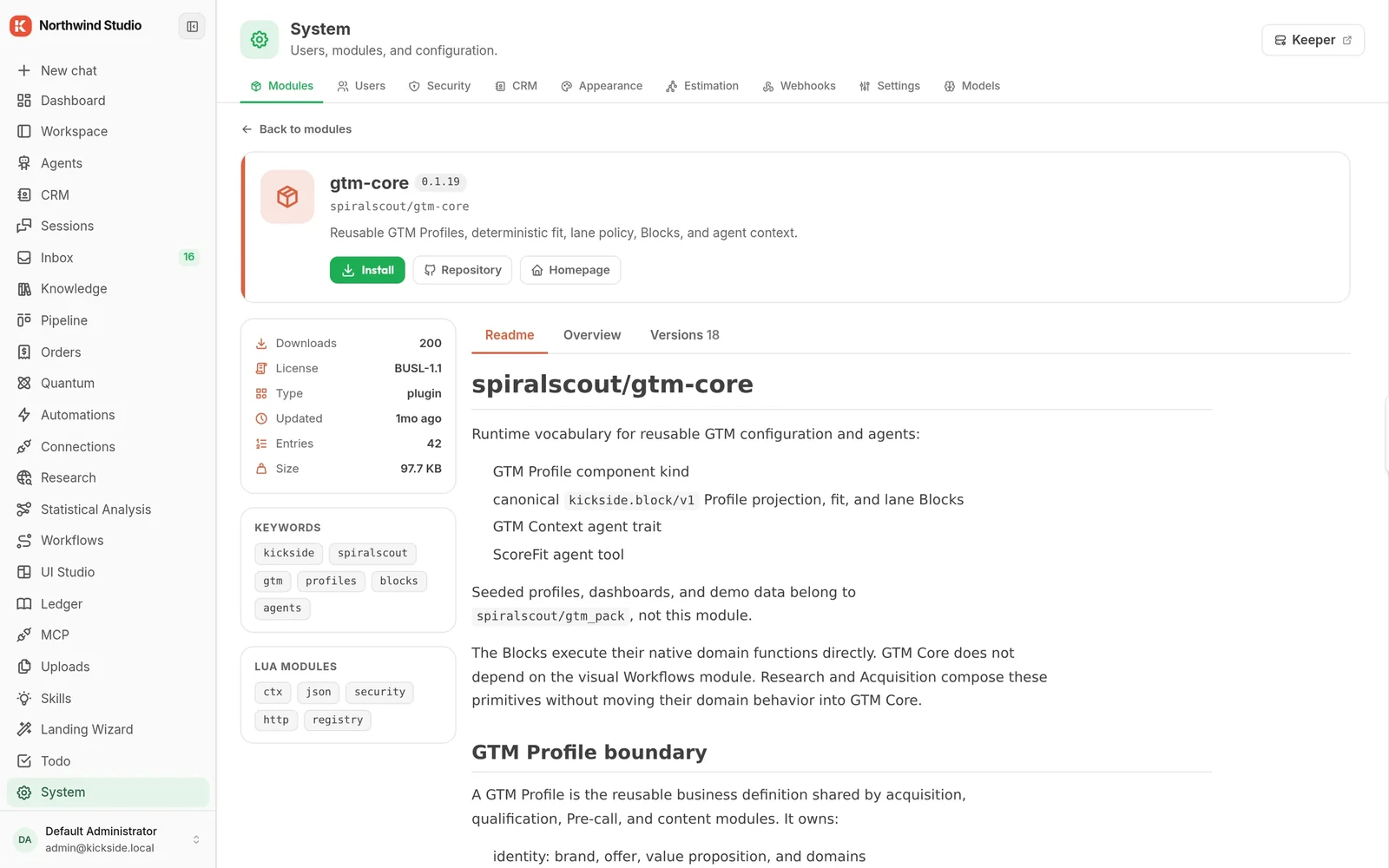
Modules from any publisher
Each module shows its publisher, licence, downloads, versions and readme before you install it. A module from outside the Hub installs too, and shows as unverified.
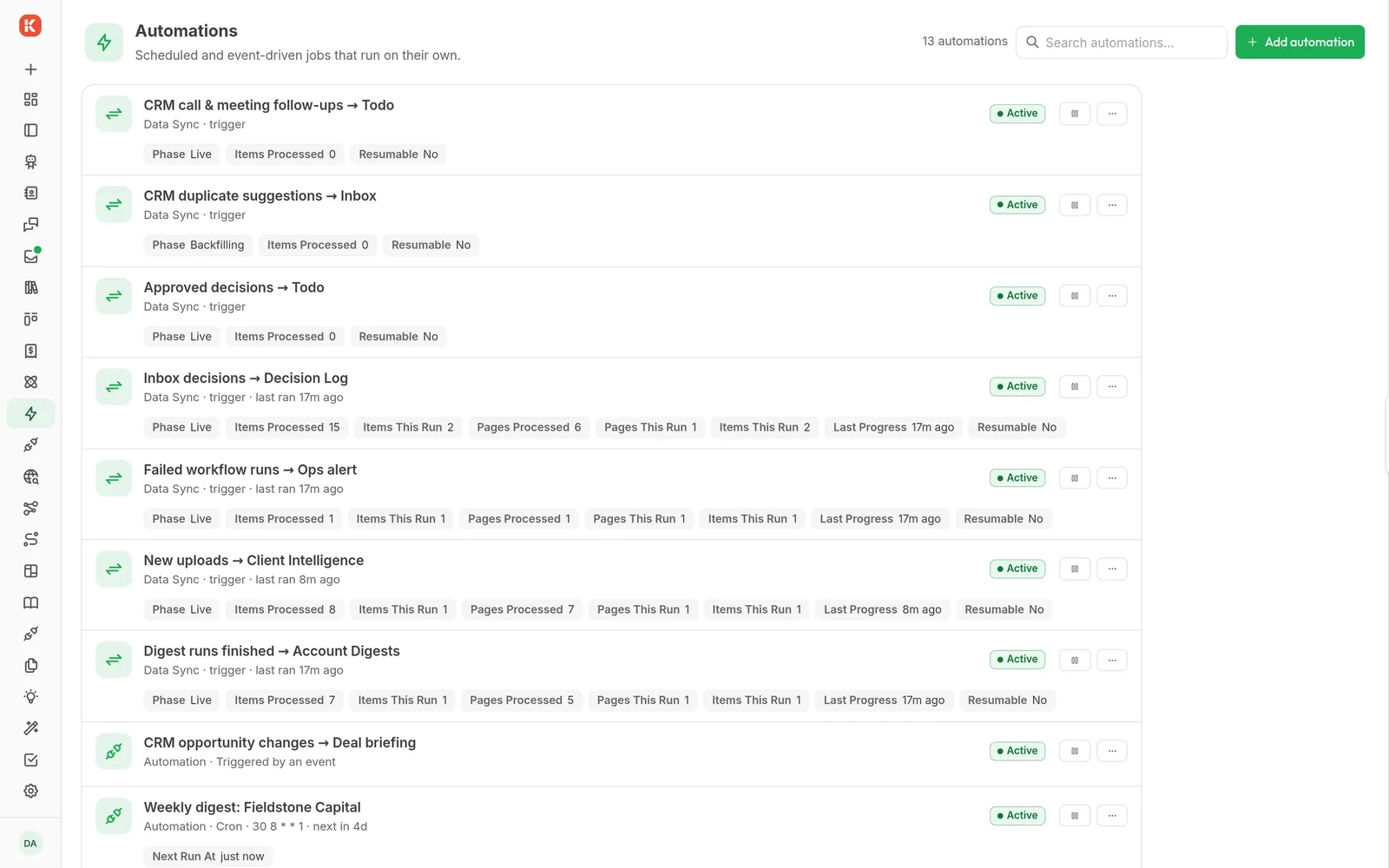
Modules talk to each other through automations.
Every module can publish sources and accept destinations. An automation hands records from one to the other: a form into a workflow, workflow decisions into a knowledge base, CRM calls into a todo list. No integration code, and every hand-off is counted.
Thirteen hand-offs, one list
- Inbox decisions are written into a decision log knowledge base.
- Failed workflow runs raise an urgent item for operations.
- New uploads feed client intelligence; finished digests are archived.
- Webhooks and schedules start workflows; each run is kept.
Anyone can get AI to write software. Letting it run your business is a different problem.
Once it touches customers, money and records, the questions change: who is it acting as, what can it reach, what happens when it fails at 3am, who approves what it sends, how do you undo it. Most tools answer with a container and hope. KickSide answers in its foundation, so every module and agent inherits the answers.
A script runs with whatever keys someone pasted into it.
Every agent and automation acts as a specific person and can do only what they could. A scheduled job keeps the identity of whoever set it up.
AI-written code runs in a container with the internet open, hoping it behaves.
It runs sealed inside the platform and can reach only the tools it was handed. Nothing else exists from in there.
Permissions are checked once, at login, if at all.
Checked on every action, against who is acting and what they touch. Installing a module grants it nothing.
It crashes overnight and nobody notices until Monday.
Each piece runs on its own and restarts if it fails. Long jobs resume where they stopped.
Someone changed it on a server; nobody knows what or when.
Every install and change is recorded and can be rolled back.
The email goes out the moment the model decides.
Anything consequential waits for a person in the inbox, with the full context of why.
The hard problems are solved once, underneath everything. The ambitious ones become the next thing you build.
Your data, private modules and history are never used to train models. Not there yet: signed, verified Hub packages. Until then a module from outside the Hub shows as unverified.
Your AI tools plug straight in. Safely.
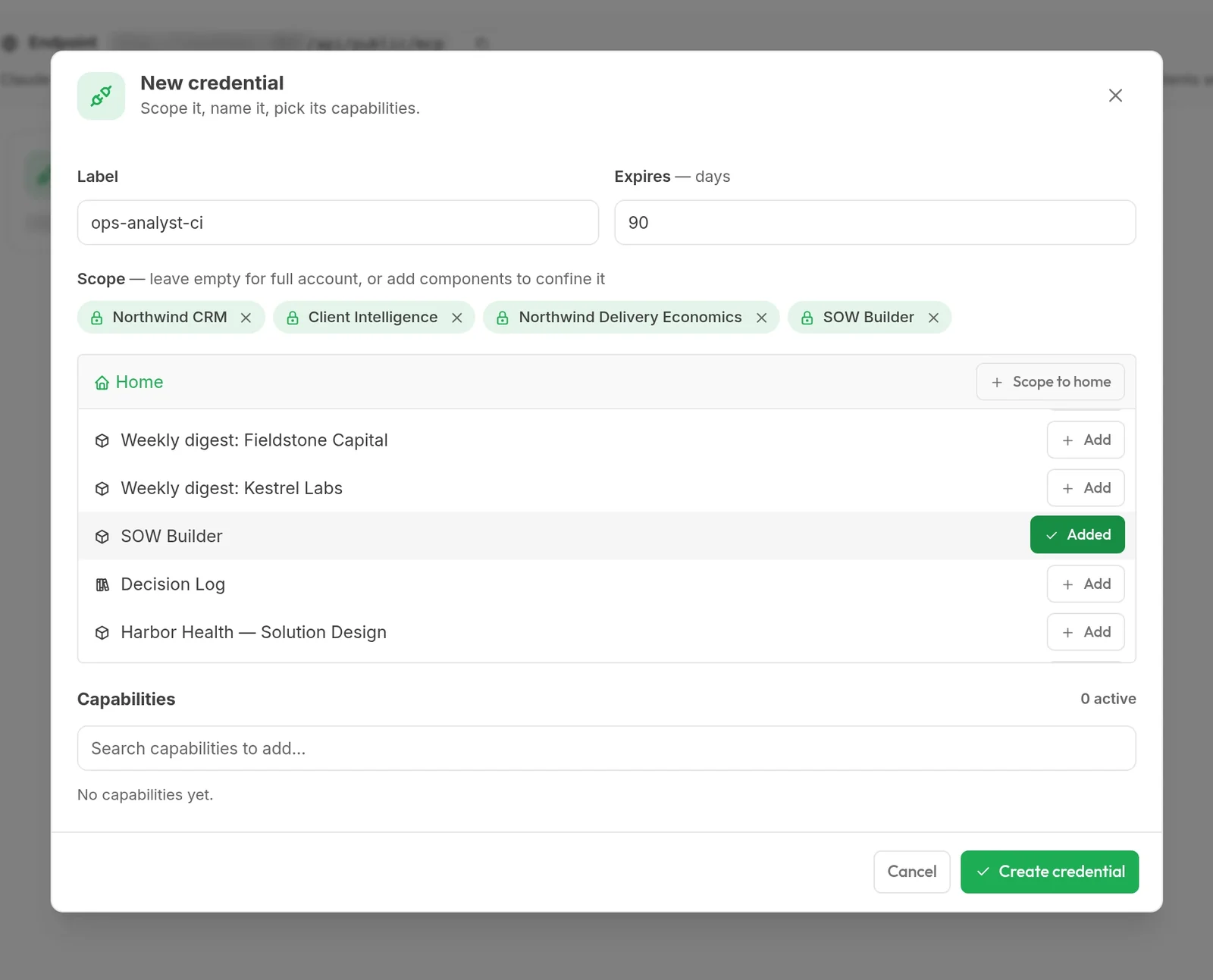
Each person can issue their own connection for Claude Code, Cursor, Claude Desktop or any MCP client. The client then works inside KickSide as that person, on the real records and tools, and never with more reach than they have.
- Acts as you, never moreEach connection carries one person's identity and can be narrowed to named parts of the copy.
- Two locks on every callA tool list chosen when the connection is issued, then the same access rules the app enforces for everyone.
- Capabilities on demandClients discover and switch on packs of tools mid-session instead of loading hundreds up front.
- And outward, tooKickSide agents connect to other MCP servers and use their tools, safely for every user on the copy.
claude mcp add --transport http kickside <your endpoint> --header "Authorization: Bearer <token>"What you would otherwise assemble yourself.
KickSide runs on Wippy, the runtime our team built for software that has to keep changing while it runs. It is one binary, open source under MPL-2.0 and public on GitHub, so you can read the code doing any of this.
| You need | The usual answer | In the runtime |
|---|---|---|
| Many small jobs, safely | Containers and an orchestrator | Isolated, supervised workers in one binary |
| Work that runs for days | A separate workflow cluster | Durable workflows that resume after a restart |
| Access control | A policy service bolted on at the edge | Identity and rules checked on every action |
| Running other people's code | Docker sandboxes with the network open | Sealed sandboxes and WASM, limited to granted tools; R, Python and Lean inside |
| Changing the system | Redeploys and downtime | Live changes, recorded and reversible |
| AI clients and agents | A custom API gateway | MCP in both directions, per person |
| Growing past one machine | A re-architecture | The same binary across many machines, SQLite to start, Postgres to grow |
Two commands, and you're running.
On your laptop, a server, or a cloud box. About a minute. The whole platform above is in the free Community edition.
curl -fsSL https://get.wippy.ai | shwippy install kickside