KickSide/Product
One app, with the whole company in it.
Records, workflows, approvals, knowledge, agents, the books and the software you generate, in one copy you run yourself. Every area below is a module you install or remove while it runs, and all of them share the same data, people and rules. These are real screens from one copy.
Deals, accounts and orders you shape yourself
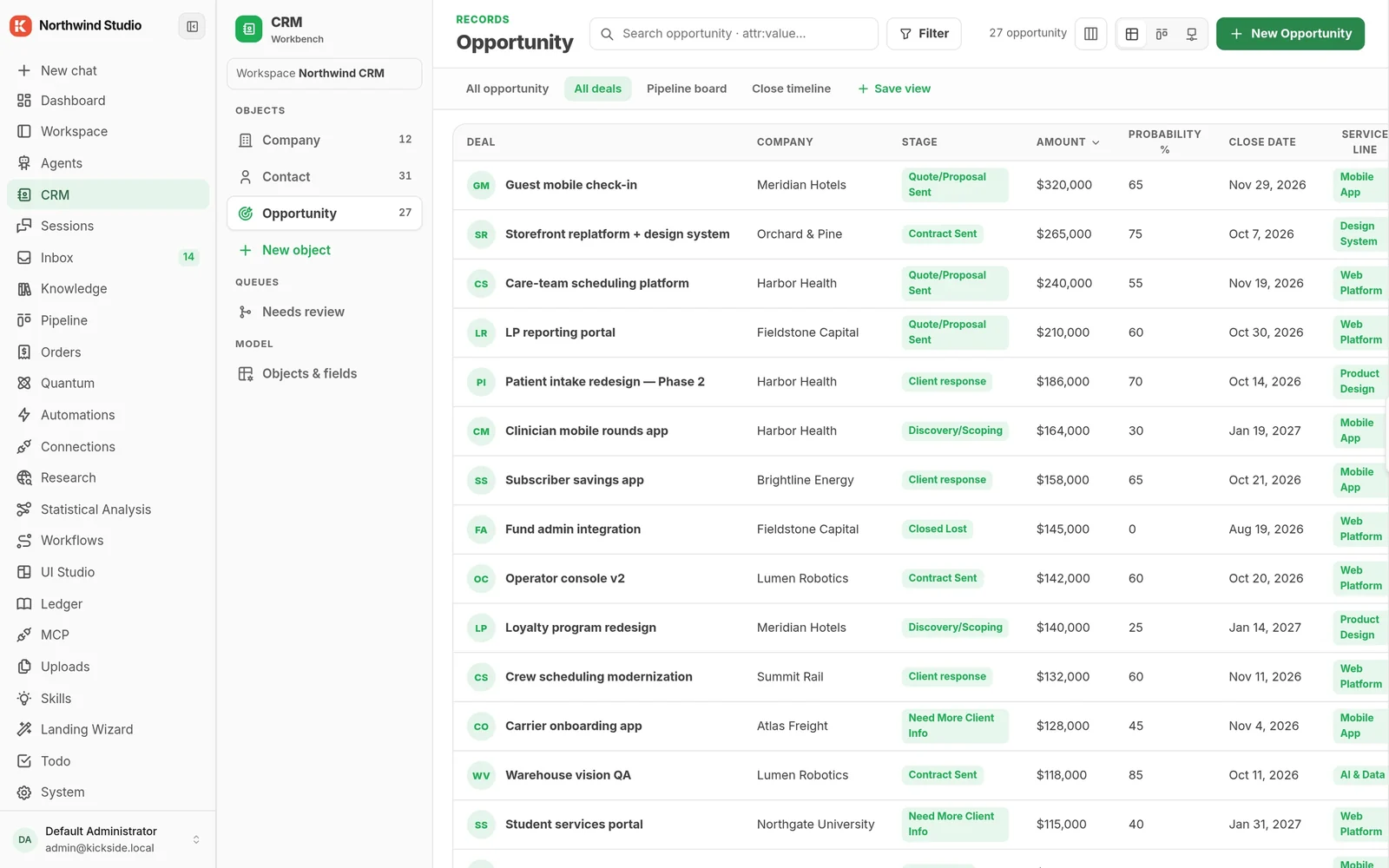
Companies, contacts and opportunities are objects you define, with board, table and record views over the same rows. The pipeline reads them live and tells each person what to do next.
- 23 open deals, $3M in play, sorted into act now and this week with the next action written out
- Board, table and close-timeline views, saved per team
- Deal records carry AI deal-intelligence fields next to a timeline of calls, meetings and emails
- Sales orders move from draft to closed, with approval holds and the allowed next steps
spiralscout/crmspiralscout/pipelinespiralscout/deal-intelligencespiralscout/orders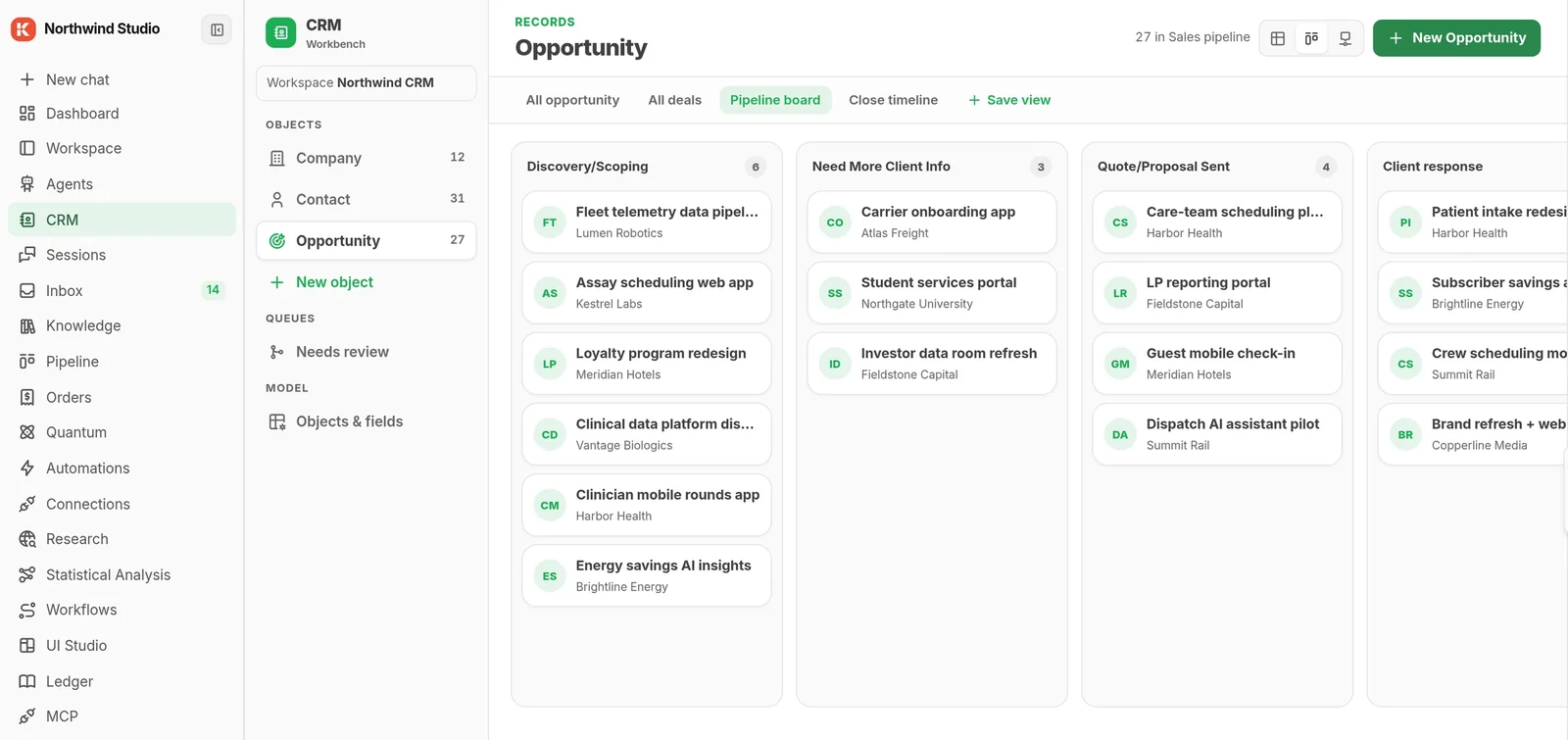
Agents, code and people on one canvas
Branches, loops, agents, knowledge lookups and human review steps, versioned and published like software. Every run is kept, step by step.
- Logic blocks: Run Code, Condition, Combine, For each and Loop
- Tools from installed modules show up in the palette: Knowledge, Ledger, Orders, Uploads, Webscout, Hub
- A finished run lights its path and shows the real input each step received
- A run waits at an inbox step until a person decides
kickside/workflowskickside/blockskickside/code-executionkickside/inbox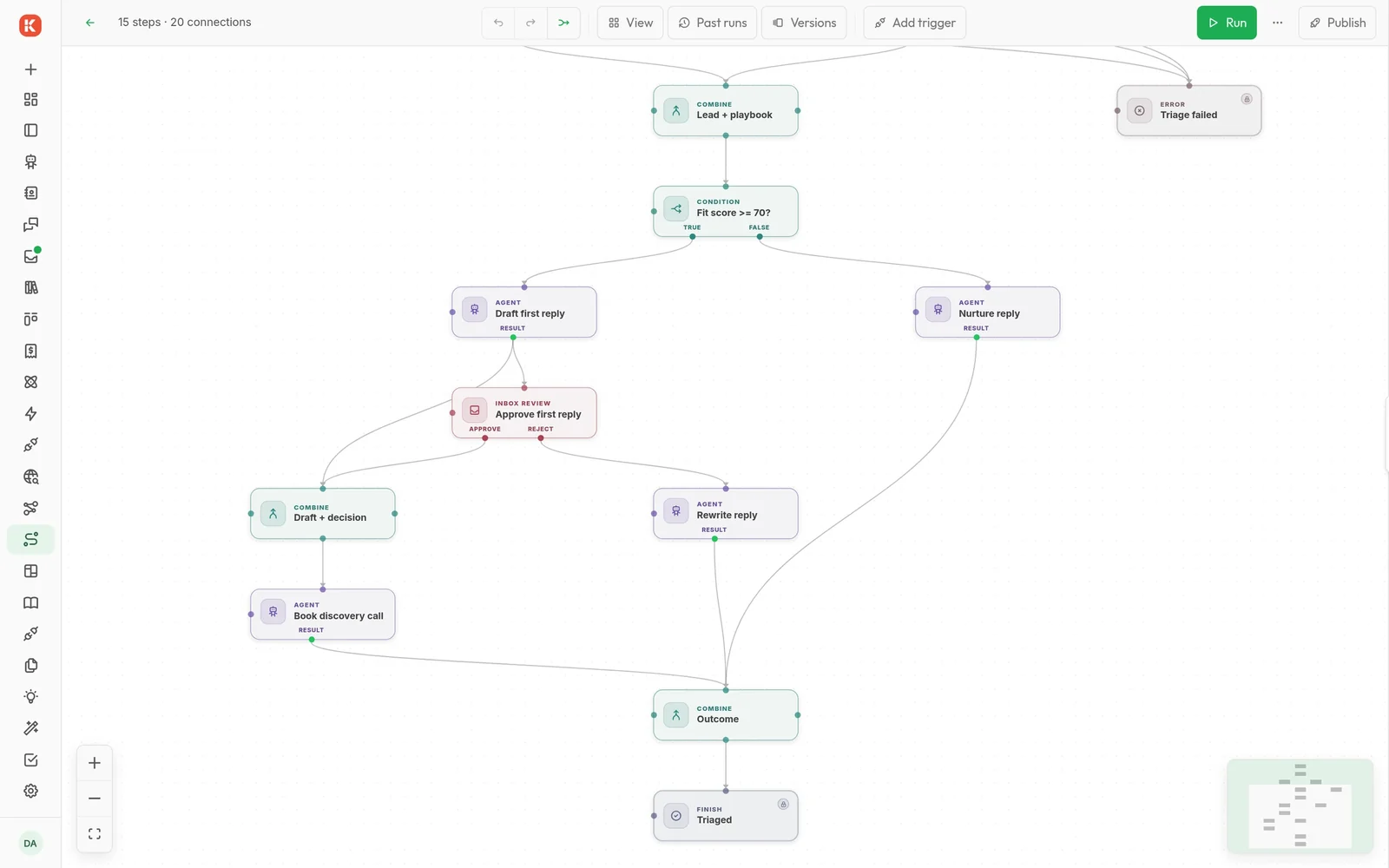
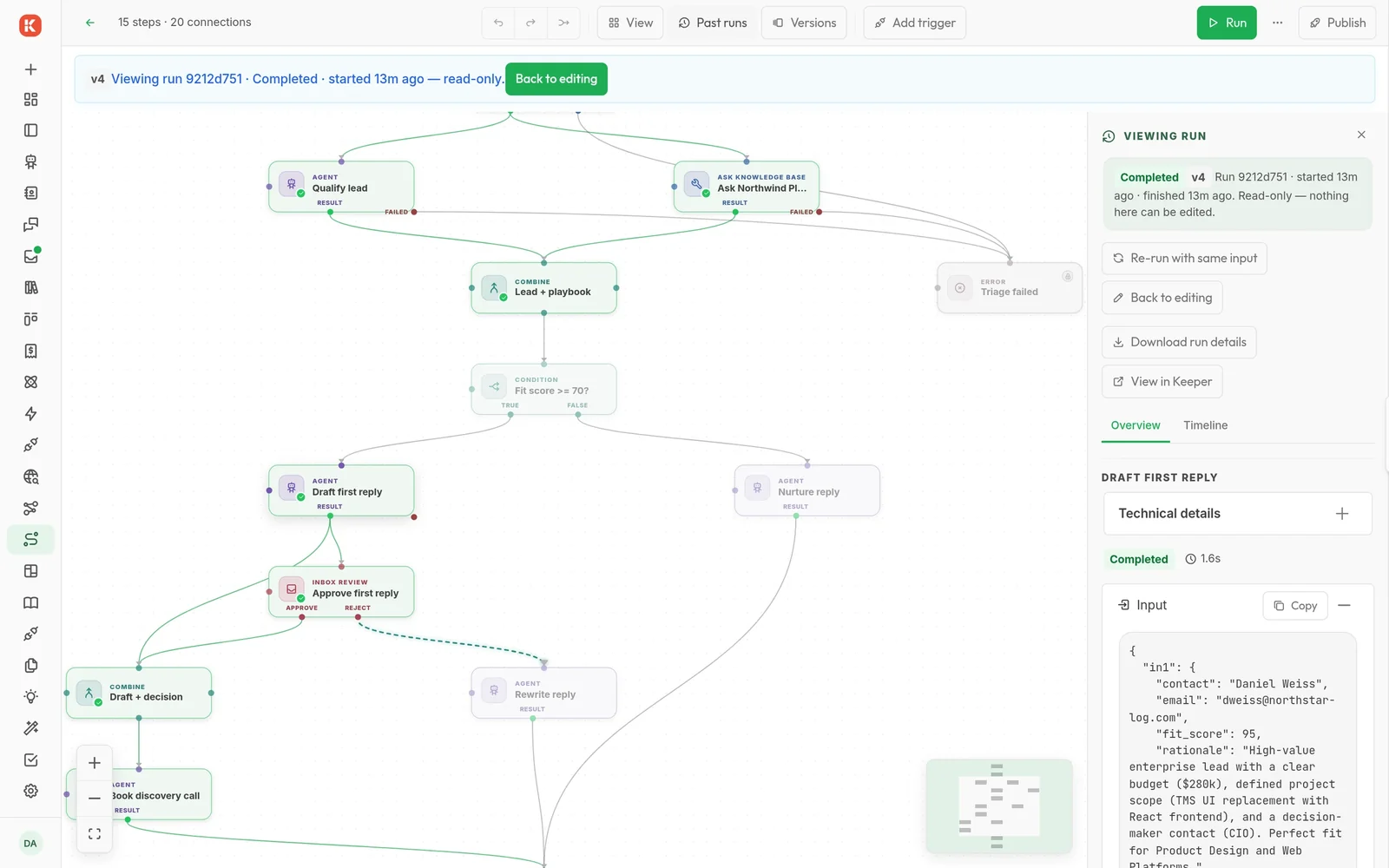
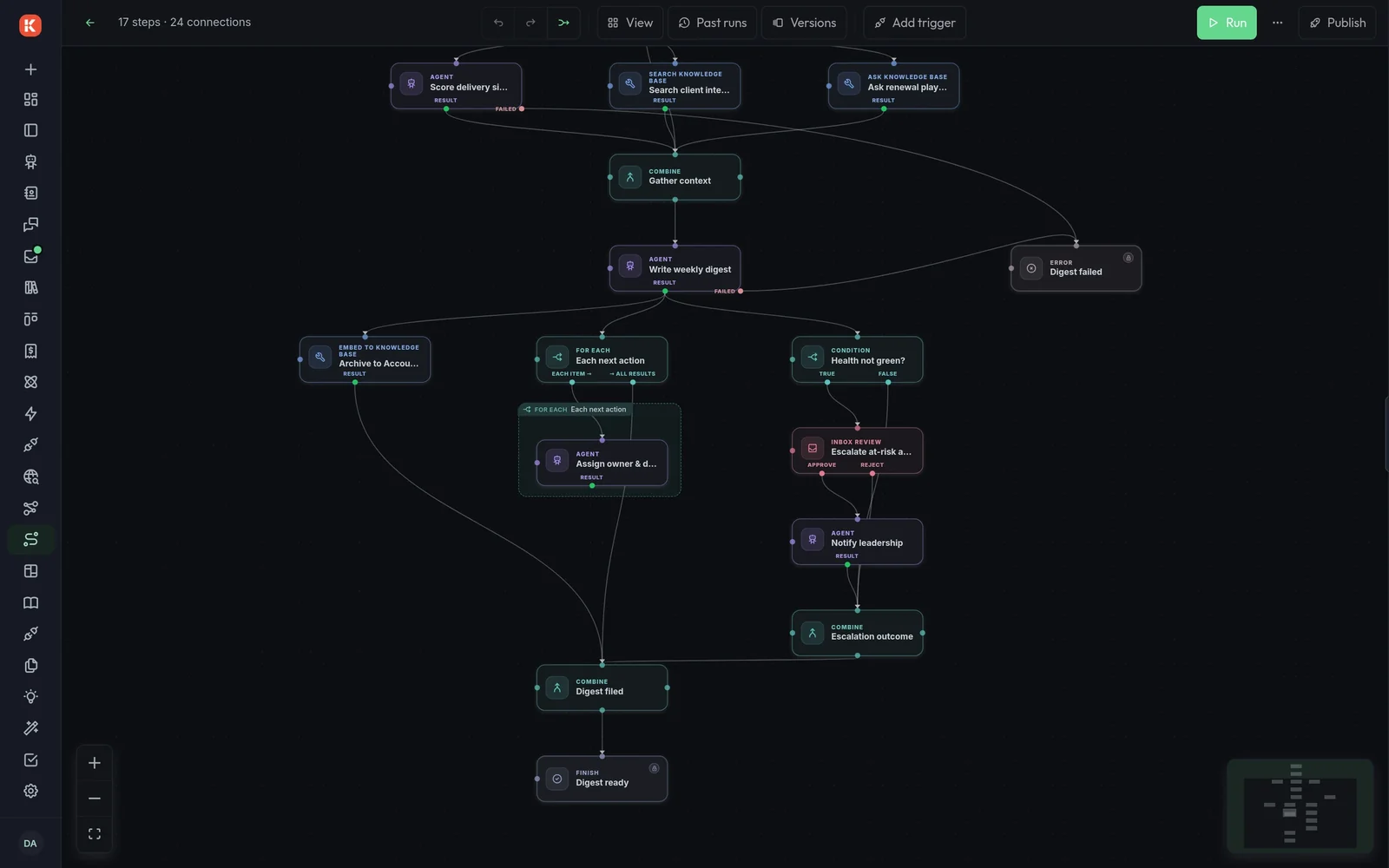
A weekly digest that fans out per account
Digests are archived to a knowledge base, a for-each assigns every next action, and at-risk accounts escalate to leadership through the inbox.
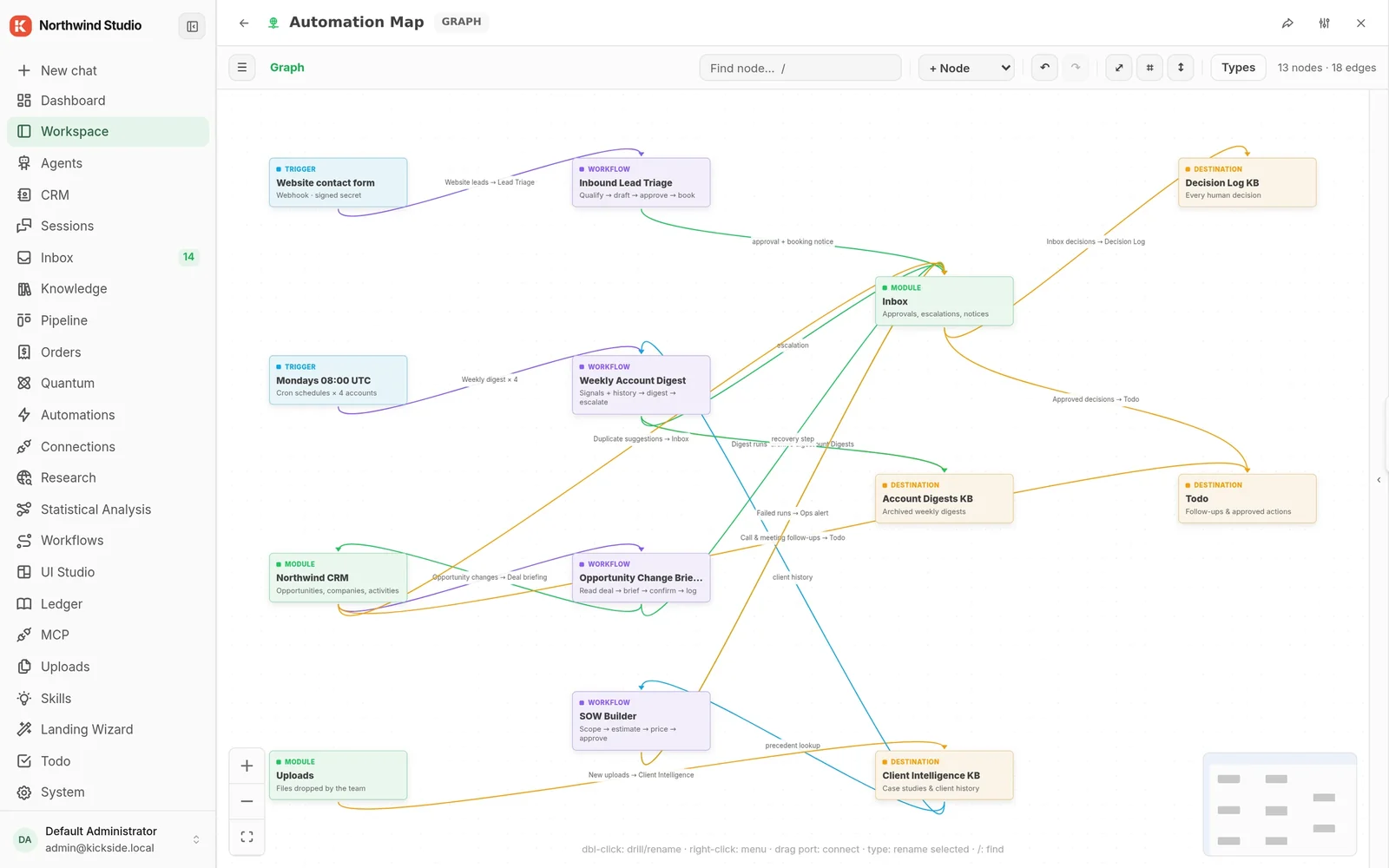
Modules connect through automations, not integration code
An automation takes records from a source and hands them to a destination. The CRM, the inbox, workflows, uploads and knowledge bases are all sources and sinks for each other.
- 13 automations running in this copy, each one a line from source to destination
- CRM calls and meetings become todos; inbox decisions land in a Decision Log knowledge base
- Failed workflow runs raise an ops alert; new uploads feed Client Intelligence
- Webhook, cron and record-change triggers start workflows
kickside/automationkickside/workflowskickside/inboxkickside/knowledge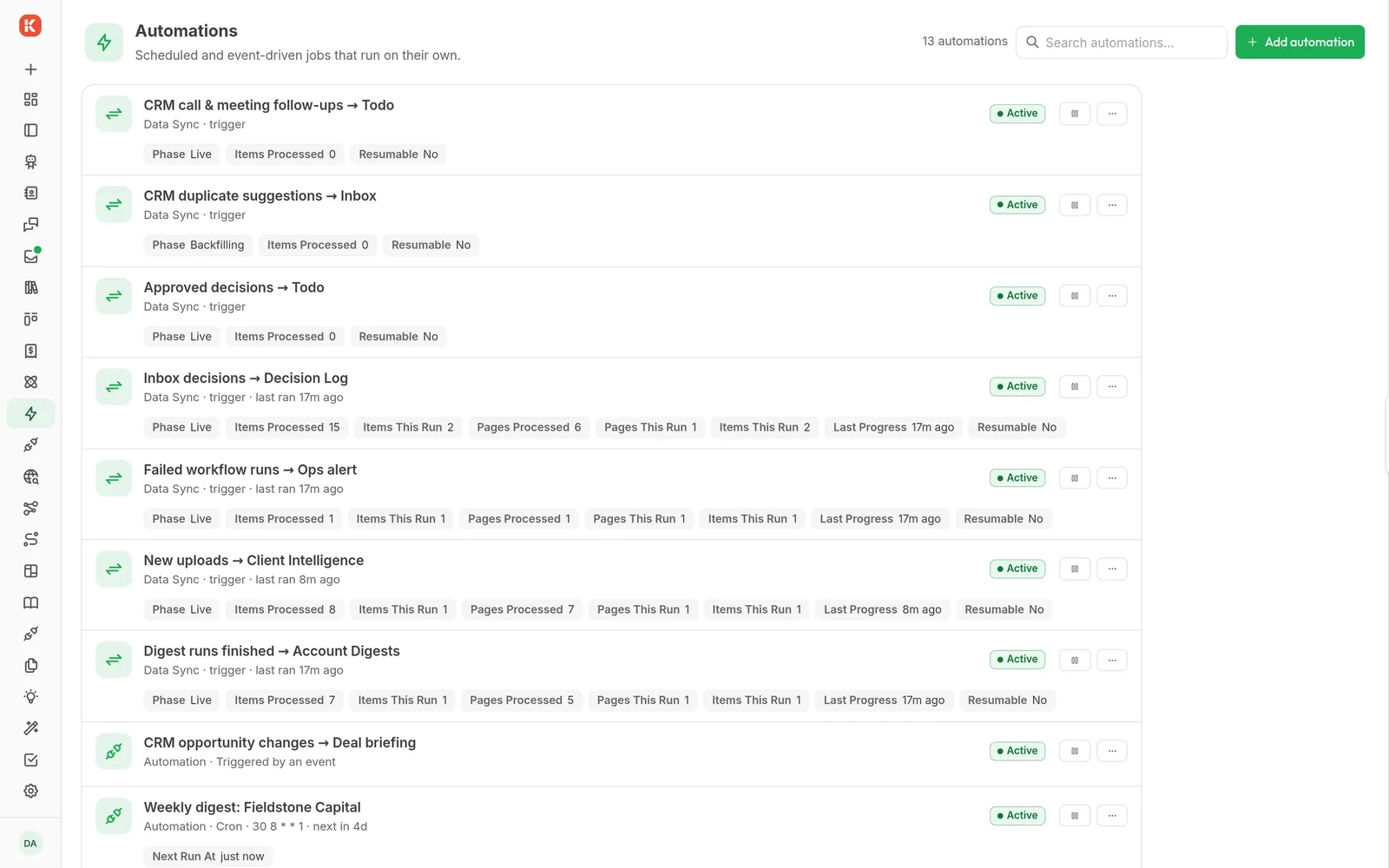
Anything consequential waits for a person
Workflows and agents raise approvals, escalations and notices into one live queue. Each item carries what the reviewer needs and the fields they must fill in; approve, and the run carries on.
- Drafted replies wait with their fit score, a call slot and a required deal owner
- Pricing exceptions show hours, rates and the total against the budget
- At-risk accounts escalate to leadership with the digest attached
kickside/inboxkickside/workflows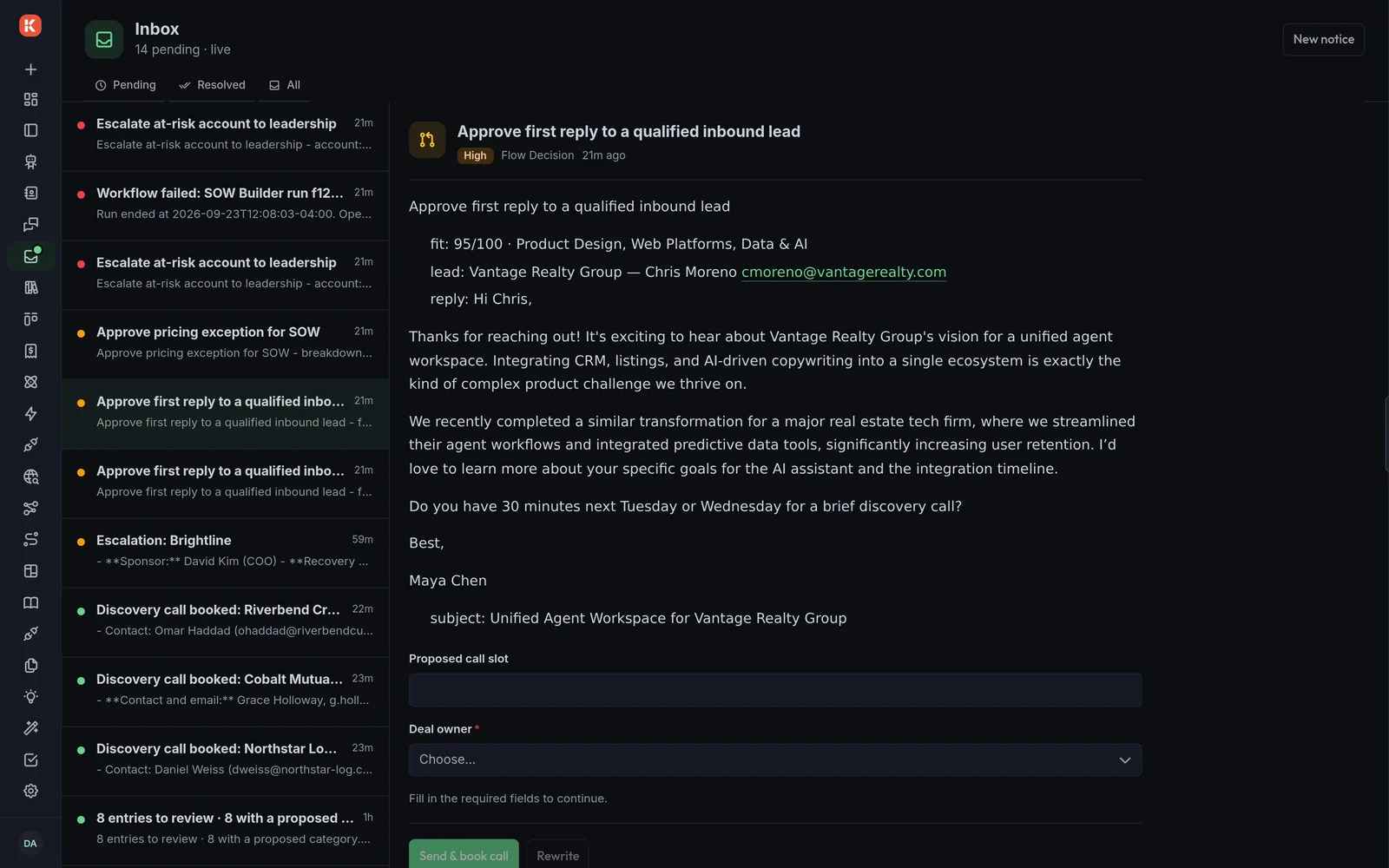
Agents that work in the open, on your knowledge
An agent is a model, a prompt and the capabilities you give it. Knowledge bases hold what it reads, and channel connections put it in front of the people asking.
- Tool calls are visible in the chat: knowledge queries, code runs, artifacts
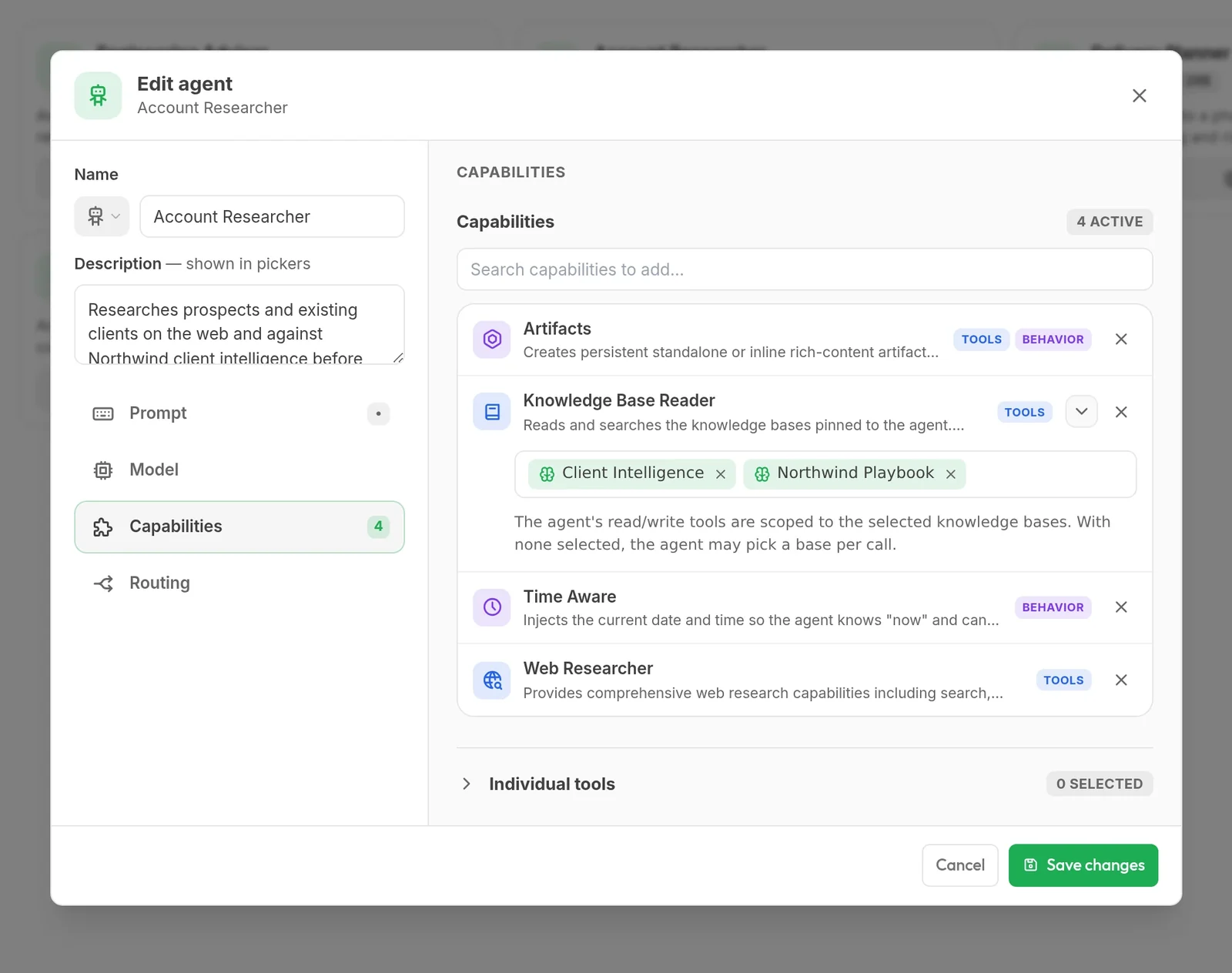
- Capabilities per agent: artifacts, a knowledge base reader, time awareness, web research
- Knowledge access scoped to named bases, here Client Intelligence and Northwind Playbook
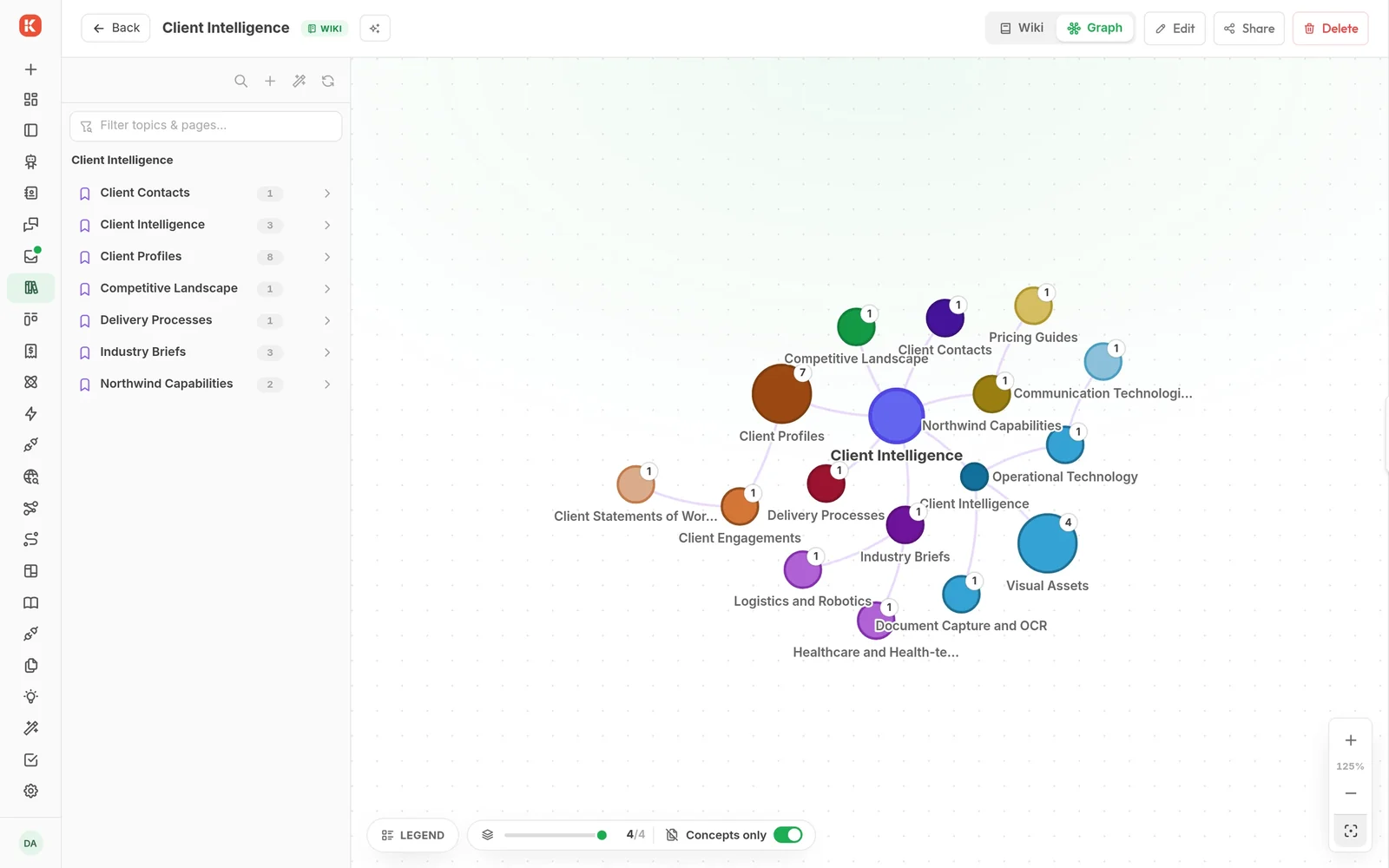
- Each knowledge base is a wiki and a concept graph of its topics and pages
- A Discord channel responder answers with a chosen agent, grounded in the knowledge bases
kickside/agentskickside/sessionskickside/knowledgekickside/kb10kickside/researchkickside/discordkickside/connection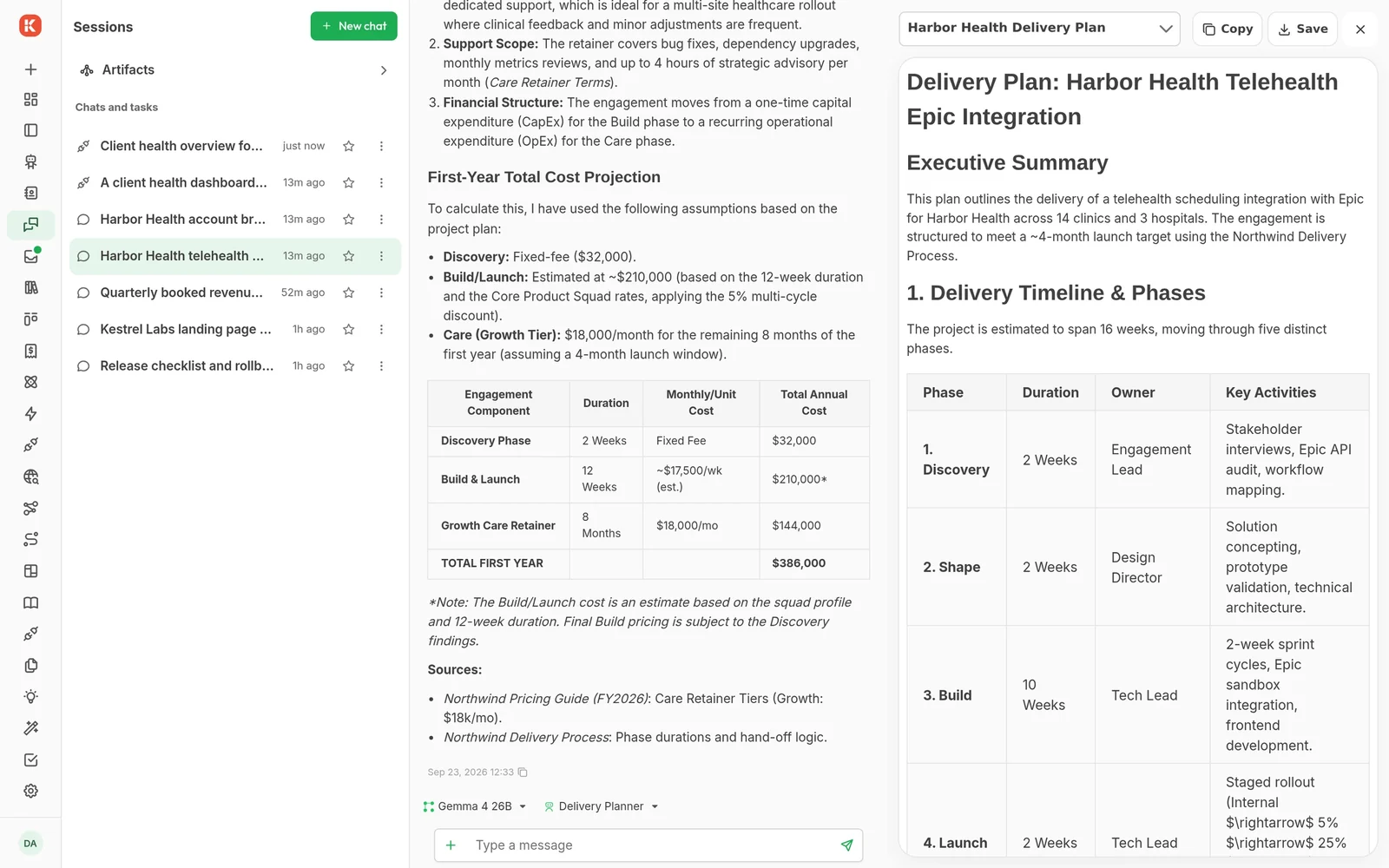
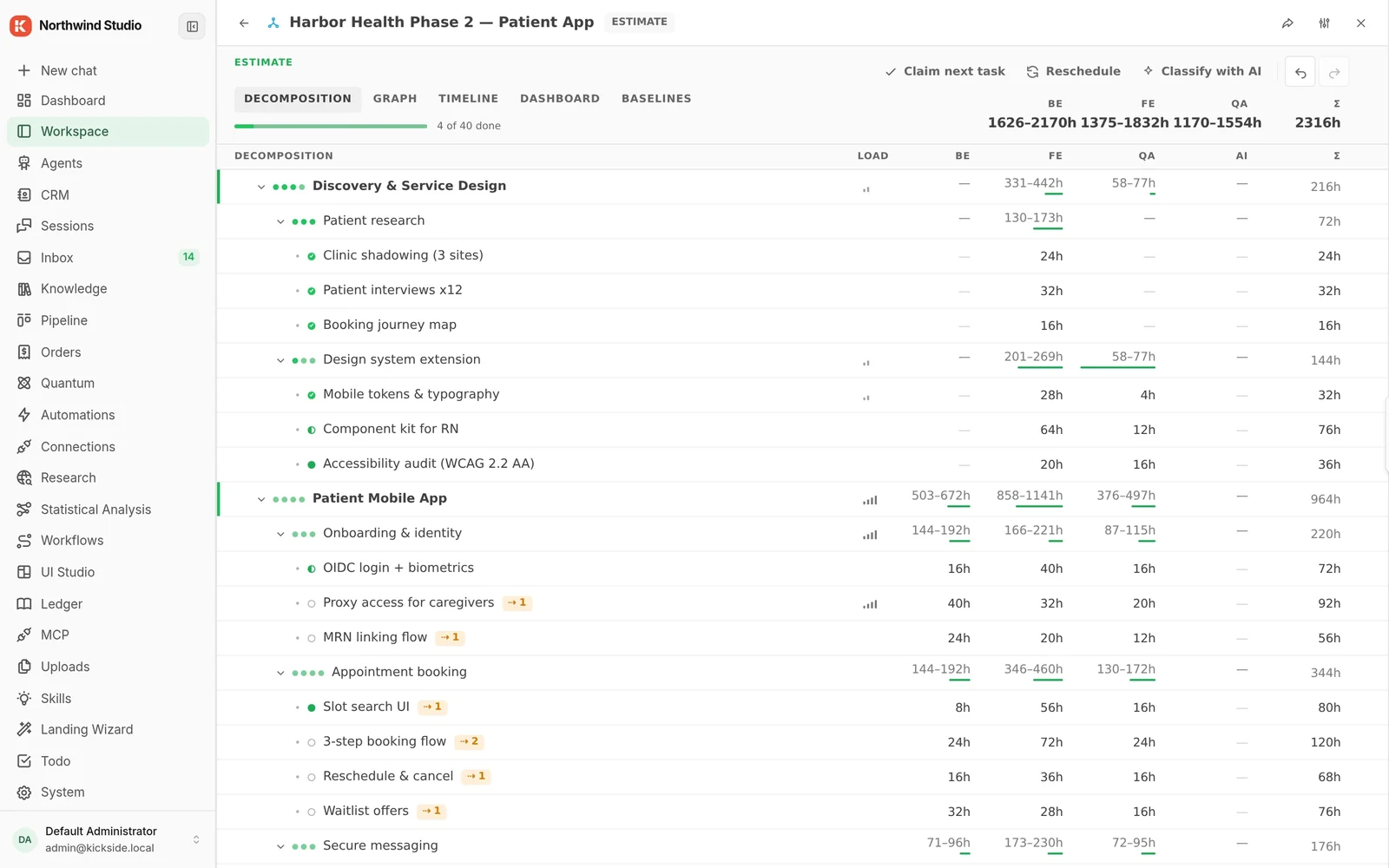
Architecture, schemas and estimates as live entries
Architecture graphs, database schemas and estimates are typed entries in the workspace. People and agents edit the same entry, and it stays current as the project moves.
- An architecture graph of 26 typed nodes and 37 edges, from people and apps to external systems
- A data model of 17 tables, 93 columns and 19 relations
- An estimate split into domains, features and tasks, with backend, frontend and QA hour ranges
chestor/workspacechestor/graphchestor/db-schemaspiralscout/estimation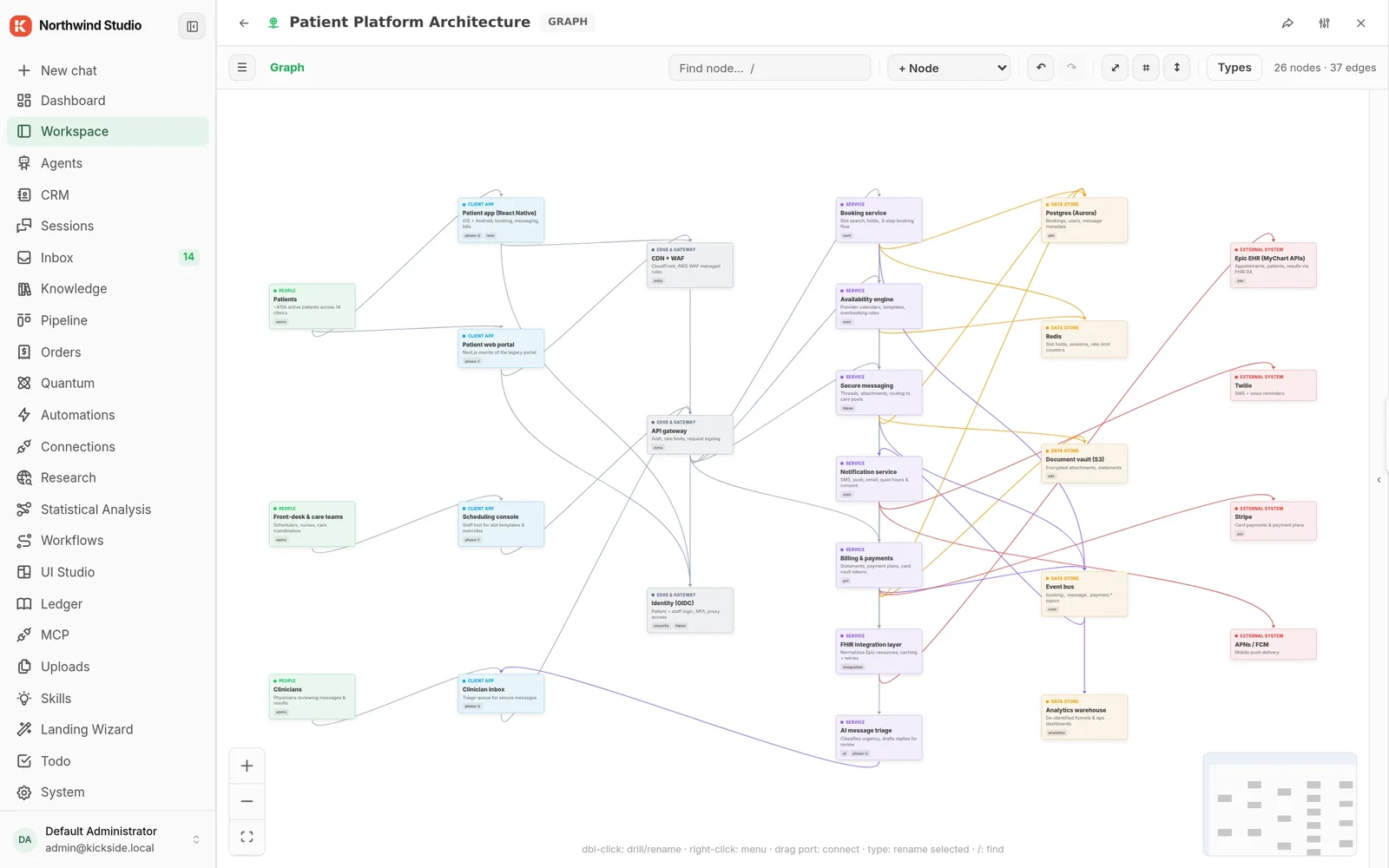
The books, reviewed by AI and booked by you
Bank and card feeds arrive uncategorised. An agent proposes a category with its confidence and reasoning; a person books it, or turns it into a rule.
- A month view with net worth, income by service line and spend by category
- A review queue of AI proposals, bookable one at a time or all at once
- Account balances across bank feeds and the business card
wolfy-j/ledger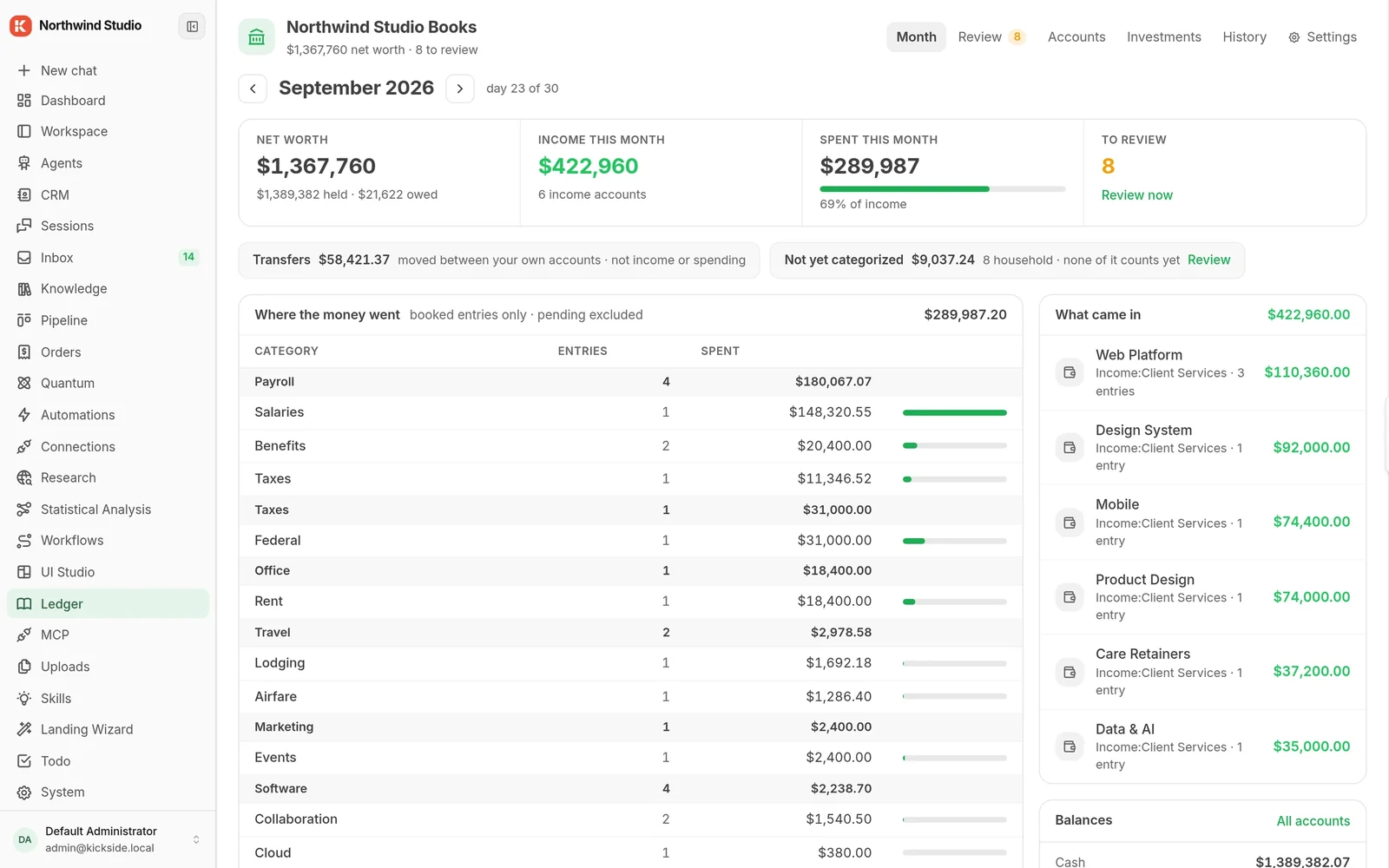
Sites, analysis and content, made inside the app
Describe what you want and an agent builds it where your data already is: a landing site, a statistical analysis in R, a post that critics check before a person approves it. More comes from the Hub.
- Landing sites written by an agent, previewed exactly as they will publish
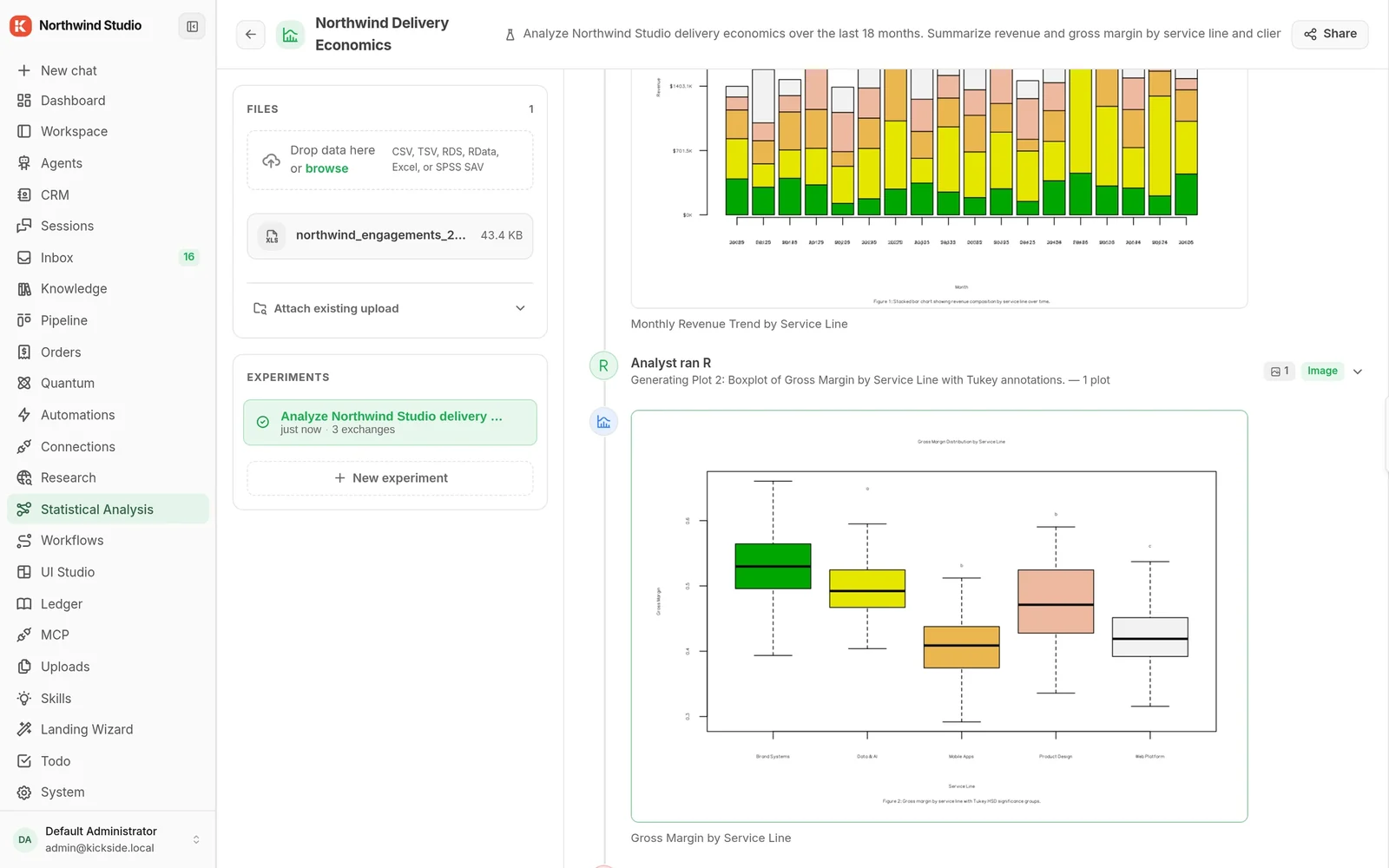
- R runs sealed inside the platform on uploaded data and writes the plots
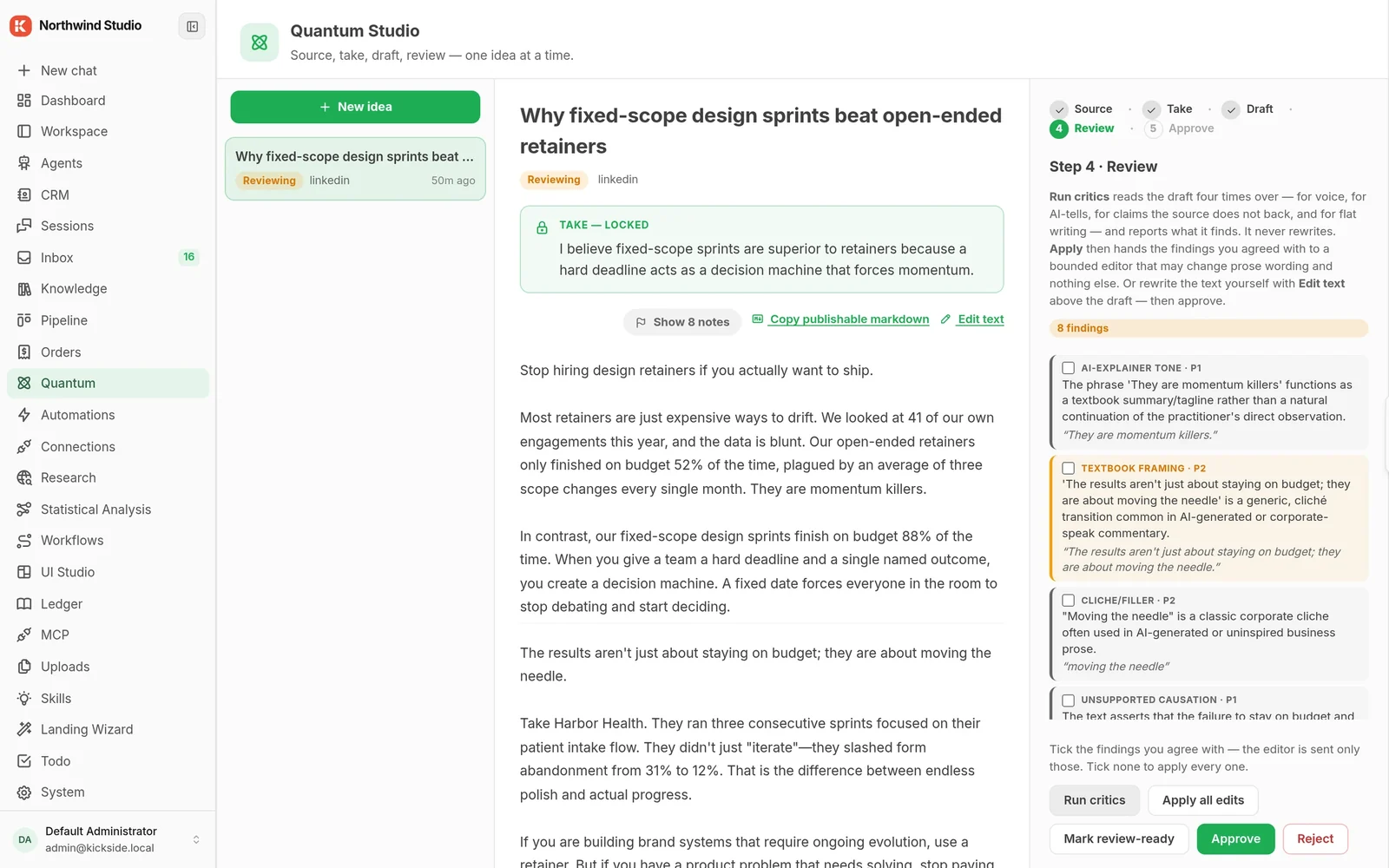
- Content goes source, take, draft, review, approve, with critics that flag weak writing
- 130+ modules in the Hub catalog, each installed with its full dependency chain
kickside/landingwizardspiralscout/stat-analysiswippy-langs/rspiralscout/quantum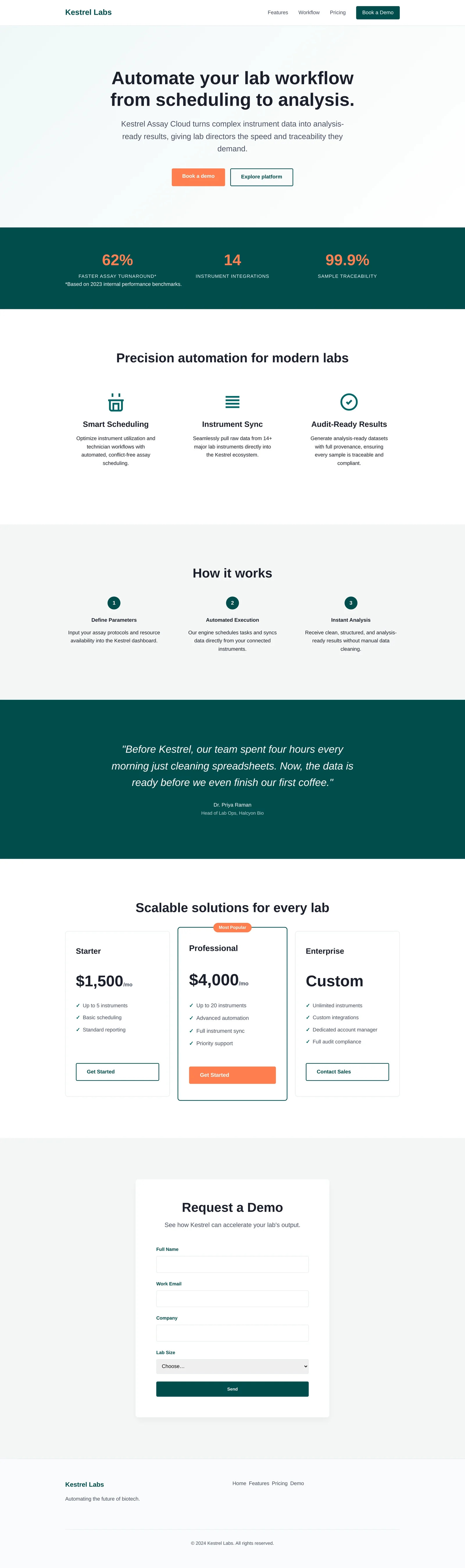
Six steps from install to a working copy
Name the copy, add a logo, connect an AI model, pick your instruments, connect an external agent, and you are ready.
- Any OpenAI-compatible provider, from Ollama and vLLM on your own hardware to hosted APIs
- Instrument bundles install their packages while you watch
- An MCP connection for Claude or any client is issued in the same flow, and can be skipped
kickside/kicksidekickside/mcpEverything installed, on one dashboard
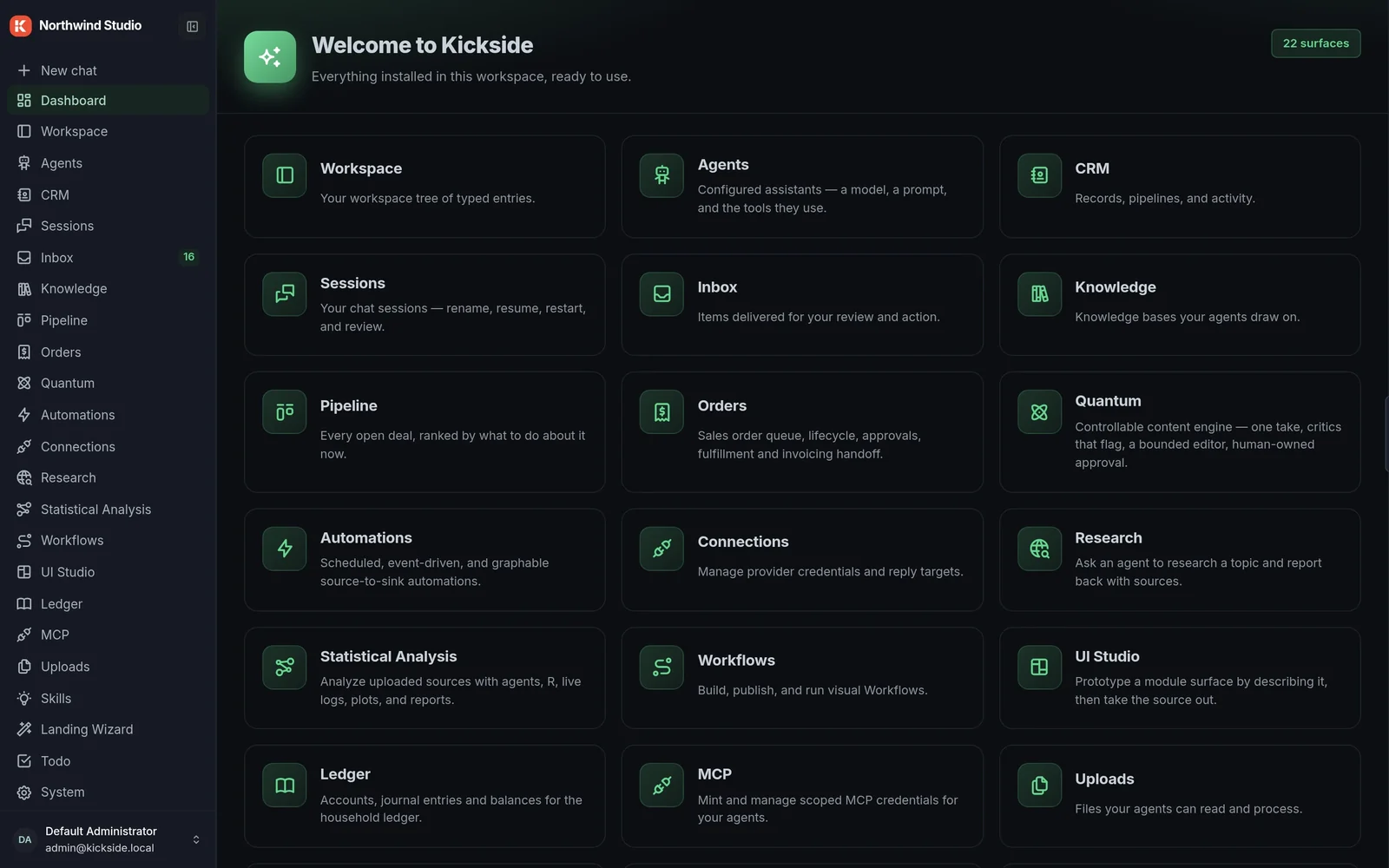
Twenty-two surfaces in this copy, each one a module that shares the same records, people and rules.
Two commands, and you're running.
Every screen on this page is in the free Community edition, on a copy you run yourself.
curl -fsSL https://get.wippy.ai | shwippy install kickside